Improvement
16 May 2026
Multi-Region Workshop Jobs: Set Currency and Tax per Region
Workshop jobs now support multi-region. Pick a region when creating a job and its currency, tax, and settings apply automatically.
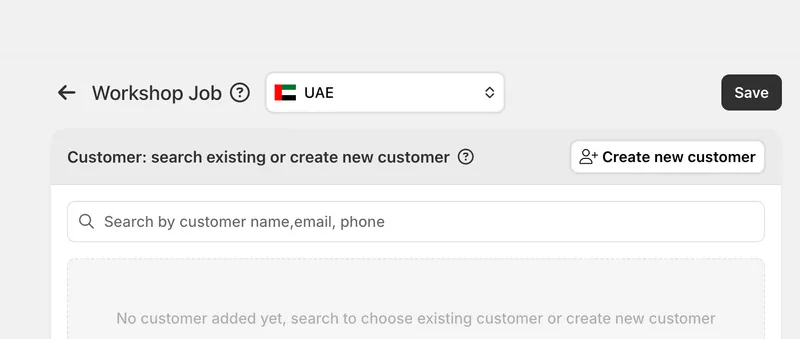
Multi-region in Workshop
Workshop now works with Eaglecart's multi-region setup, so a single workshop can serve more than one market without mixing up its money or its tax.
To use it, first create your regions under Dashboard > Settings > Regions. choose Create Region, and define each one with its own currency, tax, and settings. This is a one-time setup, and once a region exists it becomes available everywhere multi-region is supported, including Workshop.
After that, when creating a workshop job you select a region from a dropdown, and the job adopts that region's currency, tax, and settings automatically. There is no manual currency conversion and no risk of applying the wrong tax, since every job is priced from the moment it is created against the region it actually belongs to.
The selected region carries through to the job's quotation and invoice, so every document a customer sees stays consistent with where the work was done and the figures always line up.



