
All Payment Methods
Cash, card, Apple Pay, Google Pay, bank transfer, split payments, and customer credit, all from one screen.
CashCardApple PaySplitCredit
Ring up a sale in seconds on any device. Take every payment, print or WhatsApp the receipt, and keep stock in sync with your online store, all on one screen.
 Trusted by business across the United States.
Browse products, add to cart, apply discounts, select payment method, and print or WhatsApp the receipt, all without leaving one screen.
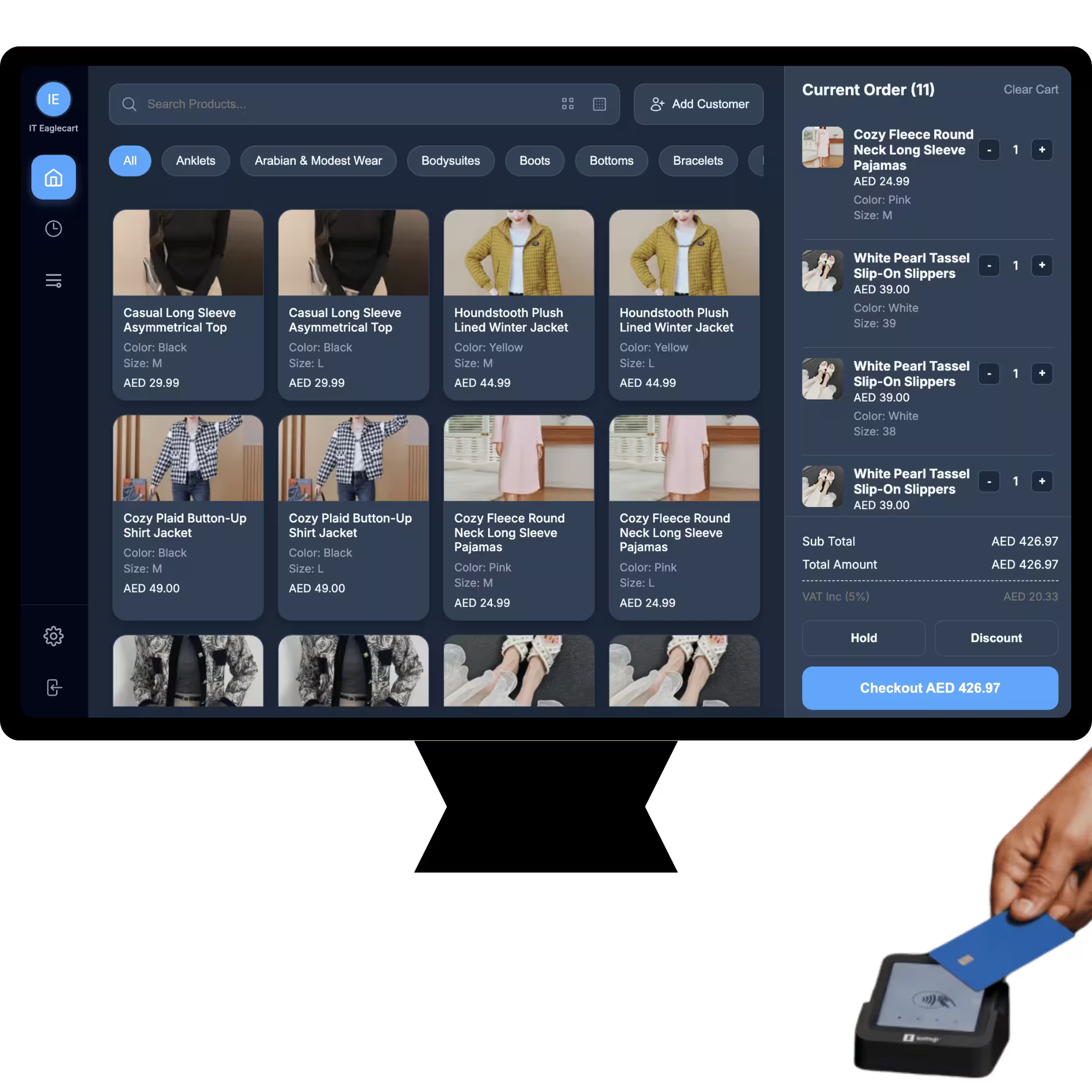
From first tap to printed receipt, all built in.
Cash, card, Apple Pay, Google Pay, bank transfer, split payments, and customer credit, all from one screen.
Print professional A4 invoices or 80mm thermal receipts instantly. Share via WhatsApp with one tap.
Full POS on any tablet, phone, or desktop. No special hardware required, just a browser or the mobile app.
Every POS sale automatically deducts stock. Real-time levels across all locations with low-stock alerts.
End-of-day cash summaries, staff performance, top products, and full handover reports in one click.
Optimized for speed so you can serve more customers with fewer clicks and shorter queues.
Your POS shares one inventory, one customer database, and one dashboard with your online store and all other channels.
Sell online and in-store from one shared inventory.
Pick, pack and fulfil orders from your warehouse.
Every POS sale auto-syncs to your accounts.
Manage repairs and service jobs alongside retail.
Absolutely. The interface is simple and intuitive, so your team can learn it quickly with minimal training and start processing sales right away.
All major USA payment terminals work out of the box. We also support Apple Pay, Google Pay, and contactless payments.
Absolutely. The POS runs natively on iPad, Android tablets, iPhone, and Android phones, plus any desktop browser. Same features, same data, optimized for each screen size.
Yes. Print English, Arabic, or bilingual receipts on both A4 and 80mm thermal printers. Right-to-left (RTL) layout is fully supported with proper Arabic or other RTL typography.
Yes. Run unlimited cashier sessions across multiple counters and locations simultaneously. Each cashier has their own login, cash drawer, and end-of-day handover report.
Yes, one shared inventory across POS, online store, and warehouse. Sell an item in-store and online stock updates instantly. No double-selling, no manual reconciliation.
Yes. Eaglecart POS natively supports the Arabic language and RTL (right-to-left) layout across GCC countries, including the UAE, Saudi Arabia, Qatar, Bahrain, Kuwait, and Oman. The platform is built with full Arabic and RTL support by default, ensuring a seamless localized experience.
Start free, no credit card, no setup fees. Be live in minutes.
No credit card required · Setup in under 5 minutes