
Shipping, right on your order pages
Tracking, labels and shipment actions on both the order detail and the order list.
Order detail
The shipping panel now shows the courier, the tracking number and whether it was booked or entered manually. Print the shipping label, view the courier's airway bill, track the parcel, or cancel the shipment, all from the print menu.
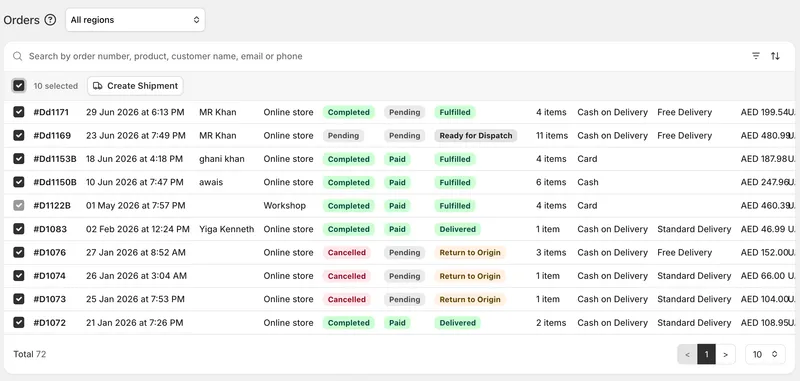
Order list
Tracking numbers appear directly in the list, with the same actions a click away. Manually tracked orders are marked so you can tell them apart at a glance.
Clearer wording throughout
Buttons now say what will actually happen. "Cancel Shipment" appears only when we can genuinely cancel with the courier; otherwise it says "Remove Tracking", because that's what it does. If a parcel has already been handed over, we warn you before you remove anything that doing so won't stop the delivery.
Bulk shipping from the order list
Select orders and send them straight to the Shipments page ready to book.


