
Your customers can now track their parcel
A shipment card on the order page shows the courier, the tracking number, and the parcel's journey.
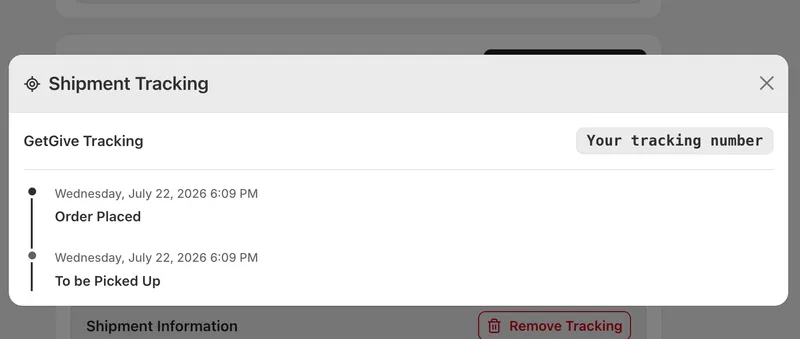
Tracking, right on the order page
Customers can now follow their parcel without leaving your store. The order page shows a shipment card with the courier's name and the tracking number, and what happens next depends on how the order was shipped.
A live timeline for integrated couriers
For stores connected to an integrated courier, a Track button expands a timeline in place, pulled live from the courier and showing every scan with its time — picked up, at the hub, out for delivery, delivered. Nothing loads until the customer asks for it, so the page stays fast, and the timeline refreshes on its own whenever the courier reports a change.
Custom carriers, handled sensibly
For other custom couriers it adapts to what the carrier offers. If the carrier has a direct tracking link, the button goes straight to that parcel. If they only have a general tracking page, the button opens it and the customer copies the number across. If there's no tracking page at all, the number is shown with a copy button so it can be used wherever the carrier prefers.
Copy the number, every time
The tracking number can be copied in one tap in every case.


