VAT Tax Invoice from a POS System in UAE: What Your Receipt Must Show
In the UAE, every VAT-registered business is required to issue a proper tax invoice on every sale above the applicable threshold. A handwritten receipt does not meet this requirement. A POS system that is set up correctly issues a compliant VAT tax invoice automatically on every sale — the right details, the right VAT figure, printed or sent to the customer before they leave.
This article covers what a proper VAT tax invoice must contain, how Eaglecart POS generates it for you, and the different ways you can get it to your customer — printed on 80mm thermal paper, on A4, or shared as a PDF on WhatsApp.
I have seen what happens when a business does not take this seriously. In our earlier years we were manually adding VAT to handwritten invoices — sometimes correctly, sometimes not. When an auditor or a business customer asked for a formal tax invoice, we would scramble. The shift to a system that handled it automatically was one of the operational improvements I wish we had made earlier.
Key Takeaways
- A proper UAE VAT tax invoice must show your business details, TRN, the items, the VAT amount and the total.
- A POS system generates a compliant tax invoice automatically on every sale — no manual VAT calculation needed.
- Eaglecart POS issues VAT tax invoices that can be printed on 80mm thermal or A4, or shared as a PDF on WhatsApp.
- Every receipt is in both Arabic and English and includes the order reference, store details and a barcode.
What a UAE VAT tax invoice must include
The Federal Tax Authority in the UAE specifies what a tax invoice must contain for a business to remain compliant. A handwritten slip or a basic cash register printout often does not cover all of these.
A compliant VAT tax invoice in the UAE must show: the words "Tax Invoice" on the document, the supplier's name and address, the supplier's Tax Registration Number (TRN) if VAT-registered, the date of issue, a sequential invoice or reference number, a description of the goods or services, the quantity, the unit price, any discounts applied, the VAT rate (5%), the VAT amount charged, and the total amount payable. For retail sales to consumers, a simplified tax invoice is allowed, but it must still show the VAT amount clearly.
Getting any of these wrong — or missing one — means the invoice does not meet FTA requirements. A business customer who needs it for their own VAT reclaim will reject it, and an audit could flag the gap.
What the Eaglecart POS receipt shows
Every receipt generated by Eaglecart POS is a proper tax invoice. It is produced automatically at the end of every sale — you do not fill anything in manually.
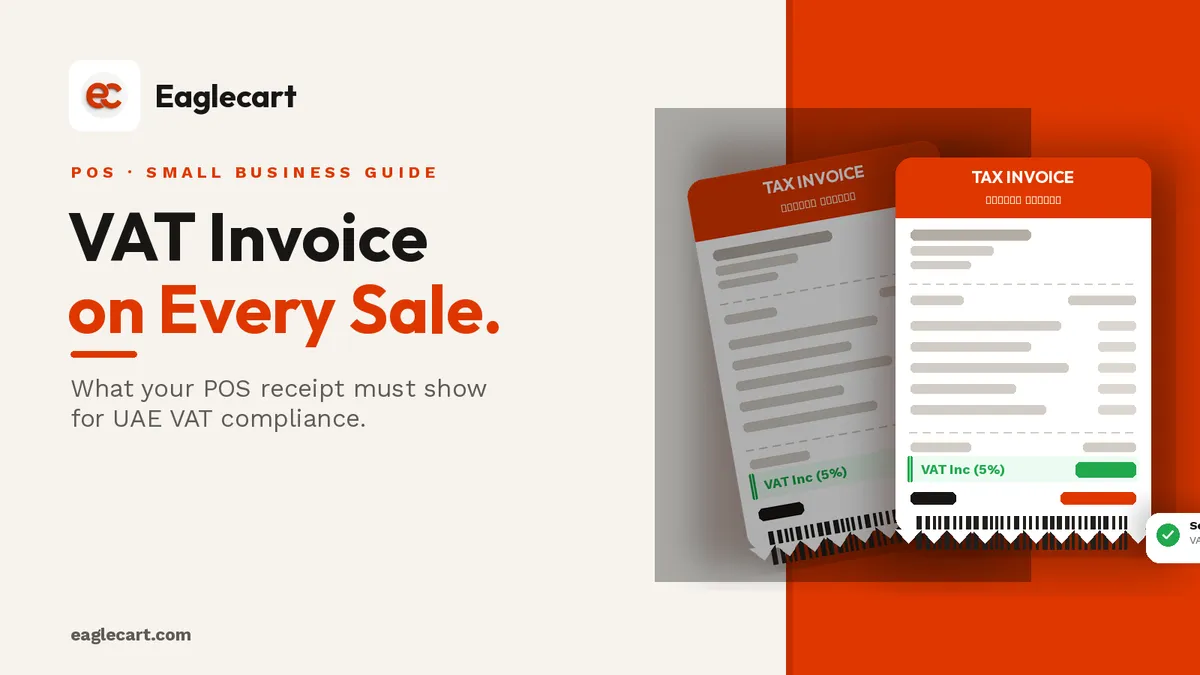
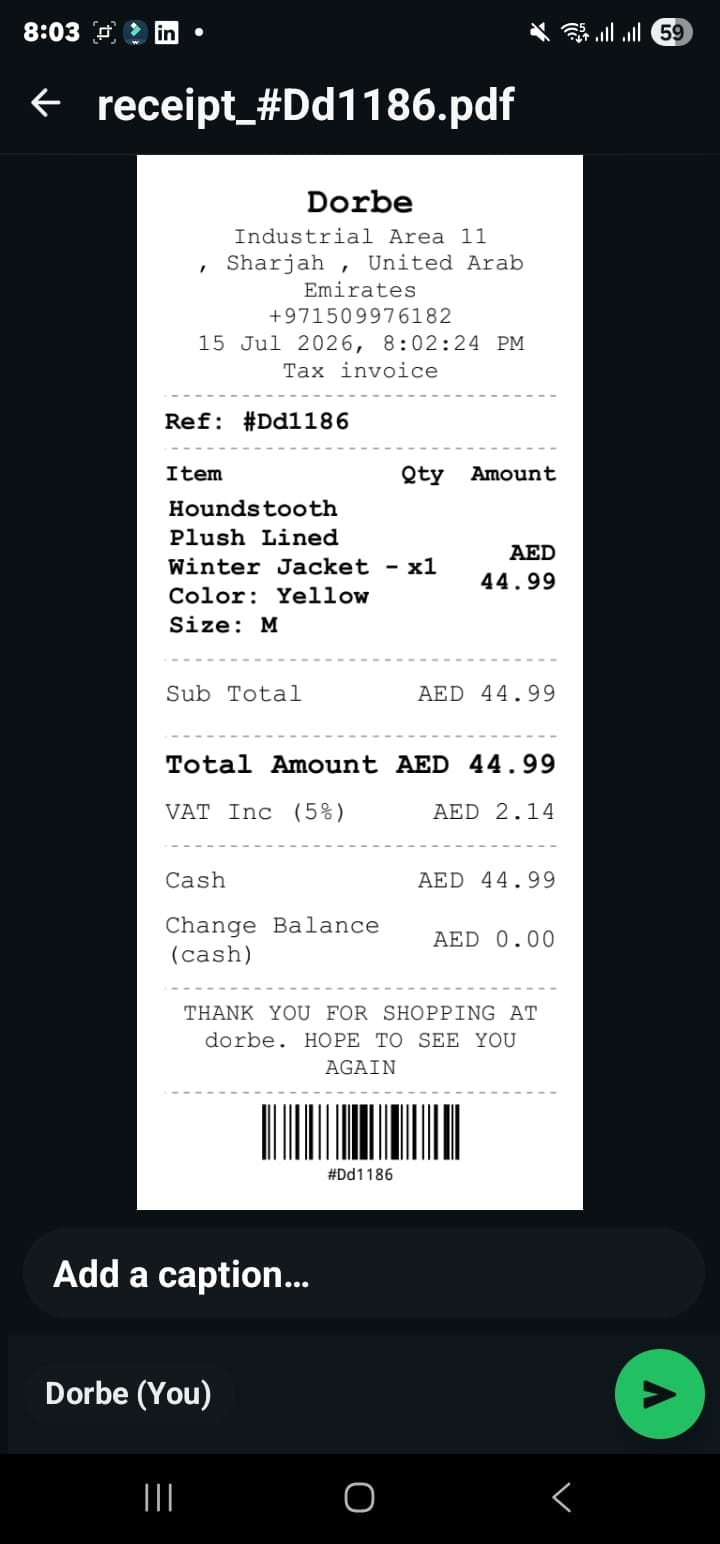
The receipt shows: your store name and address, your contact details, the date and time, the order reference number, each item sold with its description, colour, size and quantity, the subtotal, the VAT included at 5% as a separate line, the total amount, the payment method and any change returned. At the bottom there is a barcode tied to the order reference, so the sale can be looked up at any time.
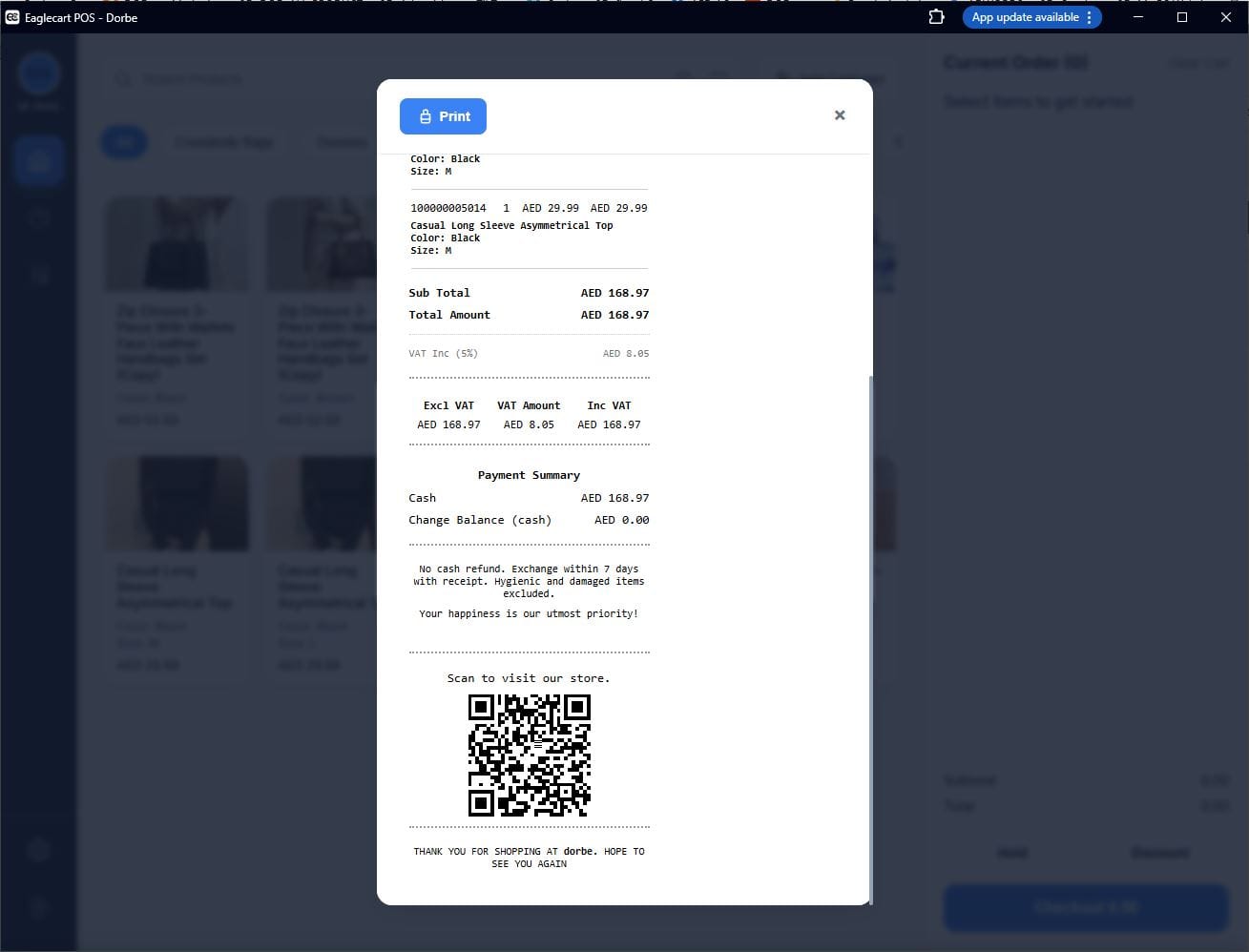
Printed on 80mm thermal — the standard shop receipt
The most common receipt format in UAE retail is the 80mm thermal strip. Eaglecart POS prints directly to a connected 80mm thermal printer. The receipt fits all the required VAT information in the standard till-receipt format — store header, items, VAT line, total, barcode and order reference — without wasting paper.
If a customer needs a duplicate later in the day, you pull it from Sales History in the POS app in three taps and reprint it on the spot.
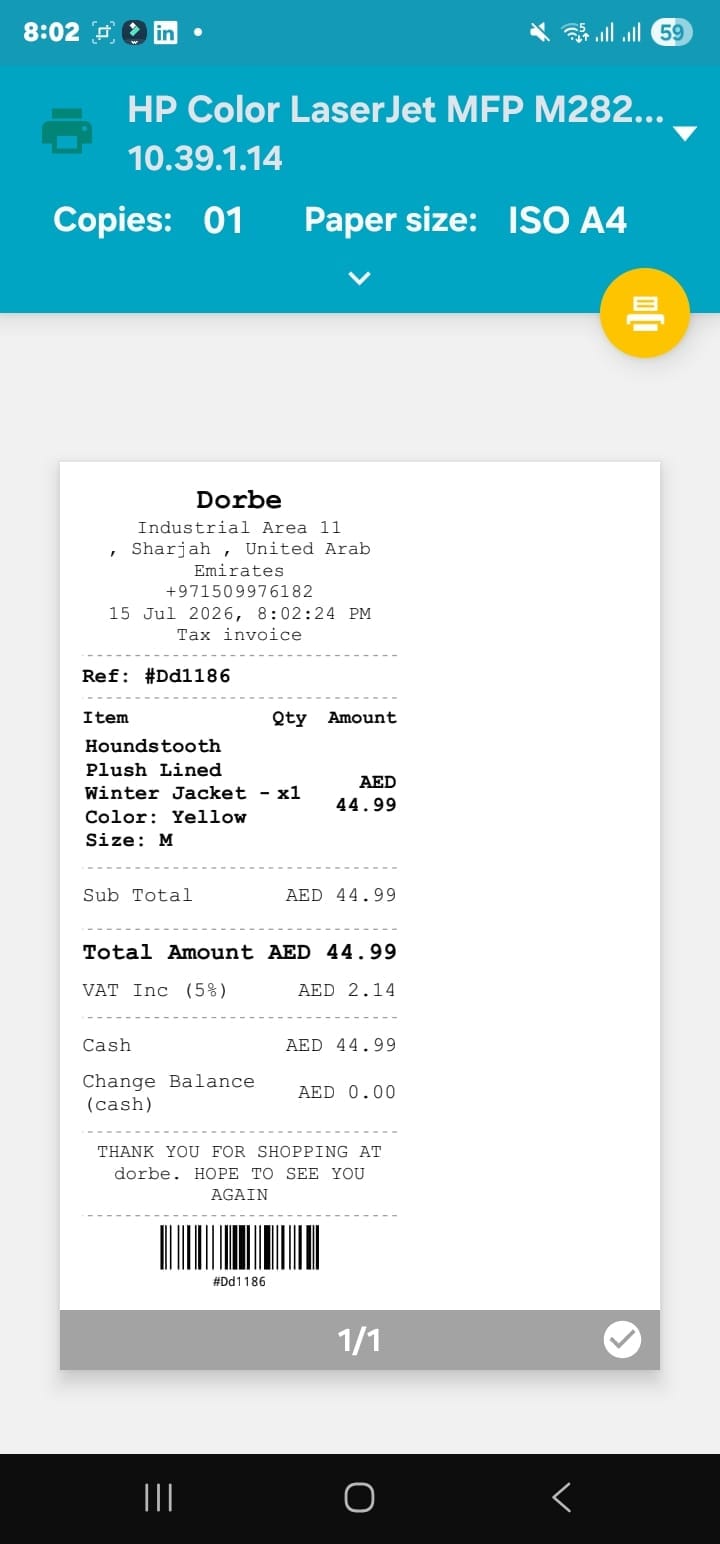
A4 format — for business customers and formal records
When a business customer needs a formal invoice for their own accounting or VAT reclaim, an 80mm thermal slip is rarely sufficient. Eaglecart POS can also generate the same invoice in A4 format. The A4 version prints on any standard printer and presents the full invoice in a clean, professional layout — the same VAT-compliant information, formatted for a document record rather than a till strip.
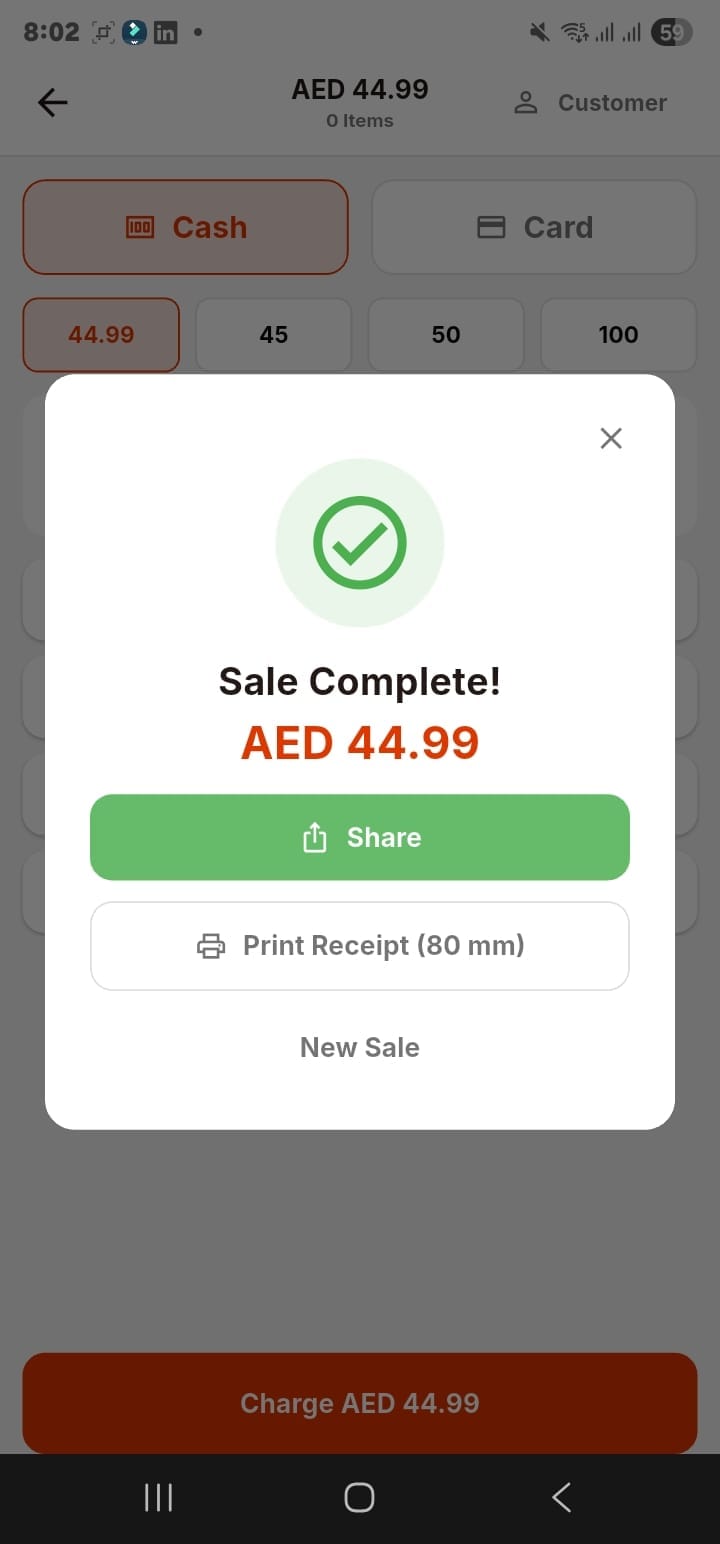
Share on WhatsApp — no printer needed
For many UAE retail sales, especially where the customer is paying and moving quickly, the most practical delivery method is WhatsApp. After the sale closes, Eaglecart POS generates the receipt as a PDF and you tap Share — it goes straight to WhatsApp, email, or any app on the phone. The customer receives the tax invoice on their phone before they have left the shop.
This is also useful for deliveries, where the customer is not physically at the counter — the driver shares the receipt on WhatsApp when the goods are handed over and the cash collected.
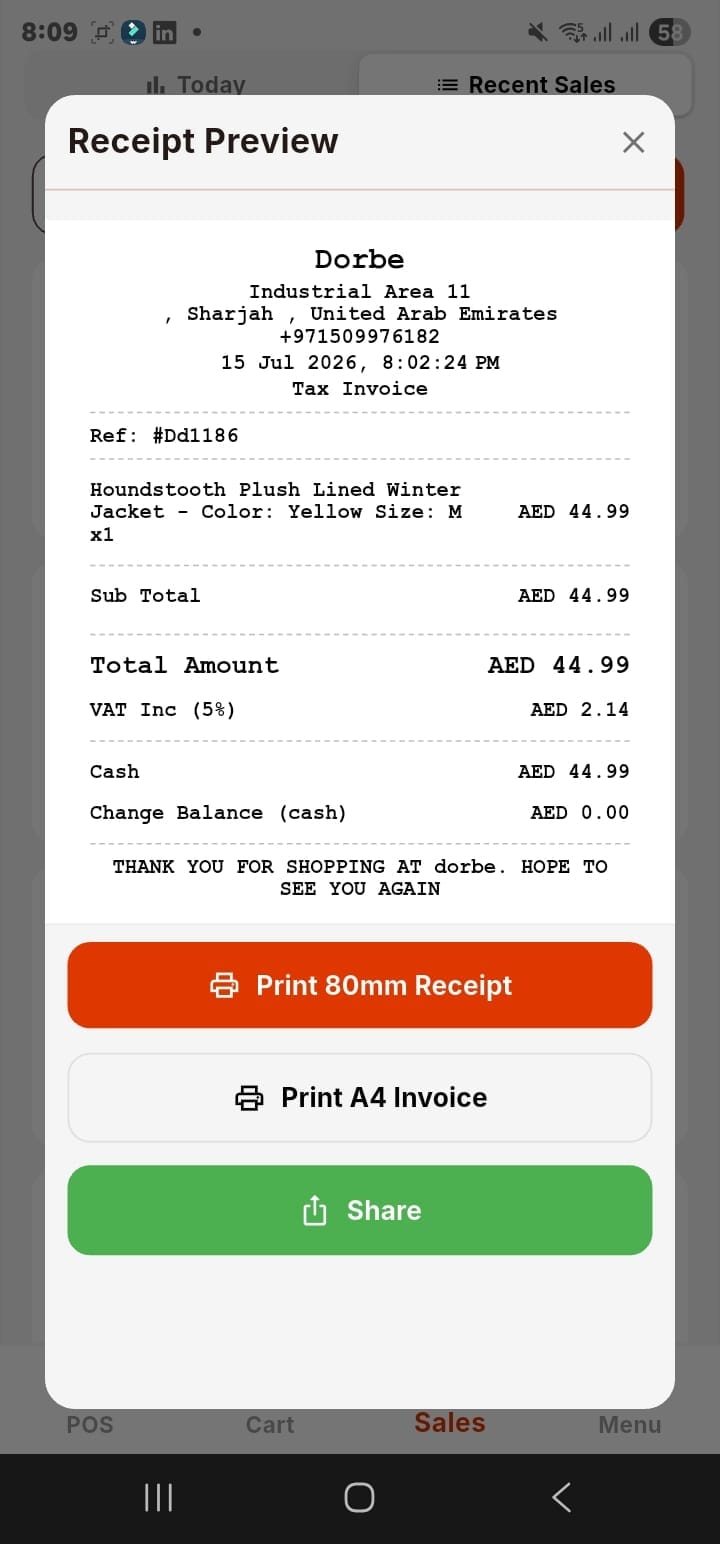
How VAT is calculated in the POS
You set your tax rate once in your Eaglecart dashboard — 5% for standard-rated goods in the UAE — and the POS applies it to every sale automatically. You do not calculate VAT by hand on any transaction.
The VAT is shown on the receipt as an inclusive figure — "VAT Inc (5%)" — meaning the total already includes VAT and the receipt breaks out the VAT portion separately, so the customer and you both see exactly how much tax is in each transaction. This is the standard simplified tax invoice format used across UAE retail.
Arabic and English on the same receipt
In the UAE, your customers and your staff are not all the same language. Eaglecart POS works in both Arabic and English, and your store details — name, address, contact — appear on the receipt in the language your store is set up in. For businesses serving Arabic-speaking customers, the receipt reads correctly in the local language without any extra effort.
Reprinting a receipt from sales history
Customers sometimes ask for their receipt after they have left, or need a second copy. In Eaglecart POS, every completed sale lives in your sales history. Search by receipt number, find the transaction, and reprint or reshare it in seconds. You can print on 80mm, on A4, or send the PDF again via WhatsApp — the same options as the original.
Frequently asked questions
What must a UAE VAT tax invoice include?
It must show the words "Tax Invoice," your business name and address, your TRN if VAT-registered, the date, a reference number, a description of the goods, quantities, any discounts, the VAT rate and amount, and the total payable. Missing any of these means the invoice does not meet FTA requirements.
Does a POS receipt count as a VAT invoice in the UAE?
Yes, if it contains the required fields. Eaglecart POS generates a compliant simplified tax invoice on every sale, showing all the required details including the 5% VAT amount separately.
Can I send a VAT receipt to a customer on WhatsApp?
Yes. Eaglecart POS generates the receipt as a PDF after each sale and you can share it via WhatsApp, email or any app on your phone. The customer receives a proper VAT tax invoice digitally.
What is the difference between an 80mm receipt and an A4 invoice?
Both contain the same VAT-compliant information. The 80mm receipt is the standard thermal strip printed at the counter. The A4 invoice is a full-page format suitable for business customers, formal records or VAT reclaim purposes.
Can I reprint a receipt if a customer asks for it later?
Yes. Every completed sale is saved in your Eaglecart POS sales history. Search by receipt number, find the sale, and reprint on 80mm or A4, or reshare the PDF on WhatsApp.