How to Take Your Grocery Shop Online in UAE with Eaglecart POS and Online Store
You take a grocery shop online by giving people a link they can tap instead of a trip they have to make. In Eaglecart that means one account running two things at once: an online store your customers order from, and a POS at your counter, both pulling from the same stock.
You do not need an app, a developer, or a warehouse. You need your products loaded, a delivery charge set, cash on delivery switched on, and a QR code stuck where your customers already stand.
Key Takeaways
- A grocery shop loses walk-in customers to delivery apps because of reach, not price.
- An Eaglecart online store plus a printed QR code turns your building into your delivery zone.
- Online sales and counter sales draw down one stock number, so what the customer sees is real.
- The same setup runs one shop or a hundred, with stock tracked per location.
Why do grocery customers order from a delivery app when the shop is downstairs?
Because tapping is easier than walking. That is the whole answer.
A customer sitting on the seventh floor is not comparing your tomatoes to the app's tomatoes. They are comparing two minutes of thumb movement to putting on shoes, taking the lift, standing at a counter and carrying bags back up. Quick-commerce companies did not beat corner groceries on price or on range. They beat them on the last fifteen centimetres between a person and their phone.
I learned how hard that pull is from the other side of it. In October 2022, after years of running an online business that peaked around 1,700 orders a day out of a 30,000 sq ft warehouse, we opened a physical showroom inside a major city centre. I assumed the hard part was the online half and that retail would be the easy half. It was the opposite. Rent, staff and a lease do not care how the day went, and customers refused to stay in the channel we had planned for them — they browsed online and walked in, or walked in and ordered later. The showroom eventually became too expensive to sustain, but it taught me the lesson this article is built on: you do not choose the channel, the customer does, so you have to be in both, with one stock number underneath.
That is exactly the position a grocery shop is in today. Your walk-in trade is not disappearing because customers moved away. It is disappearing because someone gave them a faster door.
Can a small grocery shop really take online orders?
Yes, and you are better placed to deliver than any app is. A delivery company needs dark stores, riders and a fifteen-minute promise. You already have the stock, and your customer is upstairs.
What you are missing is not logistics. It is a link. Once there is a web address customers can open, and a way for them to find it without being told twice, the rest of the advantage is already yours.
The Eaglecart online store gives you a product catalogue, collections and categories, a shopping cart, customer accounts and checkout, on your own domain, in both English and Arabic with full right-to-left support. For a UAE grocery serving a mixed building, the Arabic side is not decoration — it decides whether half your customers stay on the page.
How to put your grocery shop online, step by step
Five things, in this order:
- Add your products. Name, price, stock and barcode. Use the real barcode from the pack, because that same barcode is what your POS scans at the counter later.
- Set your delivery rate. In Settings, Shipping and delivery, set your shop as the fulfilment location, create the shipping zone for the country you sell in, and add your rates. Rates can be conditional on order value or item weight — for example free delivery above a set basket value and a flat charge below it. Each rate has its own description shown at checkout, so write what is actually true for you, such as delivery to the building within the hour.
- Switch on Cash on Delivery. In Settings, Payments, Cash on Delivery sits under manual payment methods. You can add a description, payment instructions, and an optional extra fee. Card payments run through Stripe if you want money collected before the bag leaves the shop.
- Print your QR code. In Branding, Share, Eaglecart generates your store link plus a downloadable QR code and a ready-made "scan me" poster carrying your store name and domain. Print it and put it where the decision happens: the lift, the lobby board, the shop door, the delivery bag, the counter.
- Install the POS. Download it for Windows, iOS or Android, sign in with the same Eaglecart account, and select your store and location.
That is the build. The QR code is the part most shop owners skip, and it is the part that does the work — a sticker in a lift reaches every household in the building without a single ad.
How a grocery order actually flows, from phone to doorstep
The customer scans the QR, opens your store, fills a basket and chooses Cash on Delivery.
The order appears in your Orders list in admin, tagged with sale channel "Online store", with three separate statuses you can see at a glance: order status, payment status and fulfilment status. A new delivery order typically reads Pending on payment and Unfulfilled on delivery, with the delivery method the customer chose shown alongside.
Open the order and you get the picking information: every item with its SKU, barcode, location and quantity, plus the customer's phone and address for the drop. Your helper picks it, walks it up, hands it over and collects the cash. You then mark payment Paid and fulfilment Fulfilled, and the order closes.
Counter sales run the other way round on the same day and the same stock. On POS you scan the barcode, add a customer if you want their history, take cash or card with quick-tender and change calculated for you, apply a discount if needed, and print an 80mm receipt or A4 invoice — or send the receipt PDF straight to the customer's WhatsApp. Every receipt is a VAT-inclusive tax invoice with a reference number and barcode.
One shop, two doors, one system, and both doors reduce the same stock.
How one stock number keeps you from selling what you do not have
Inventory synchronisation between POS and the online store is the piece that makes this survivable rather than stressful.
Sell six bottles of oil at the counter and the online store knows there are six fewer. Take an online order for the last carton of eggs and the counter cannot sell it twice. Without that, running two channels means two counts, and two counts always drift — usually on the fastest-moving items, which for a grocery is everything worth arguing about.
Underneath, Eaglecart tracks stock against locations, and the warehouse module lets you look at inventory by product or by location when you want to check a specific line rather than scroll a list. A single shop will rarely need more than that. But it is there when the shop grows.
Does this work if I have more than one grocery shop?
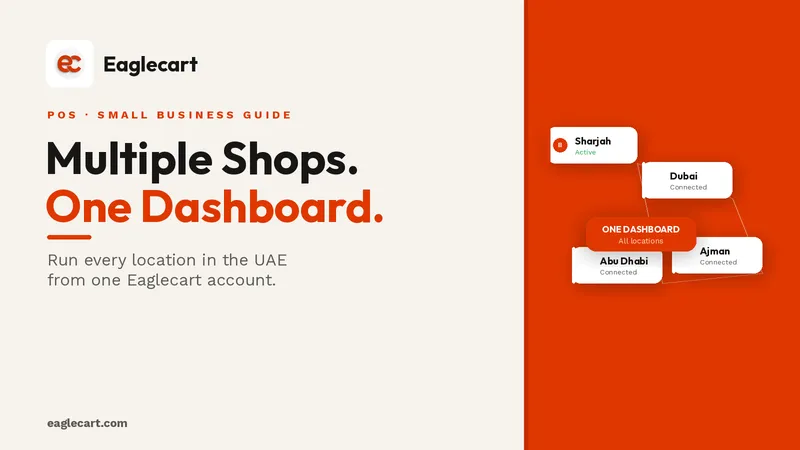
Yes. Locations are built in, and POS asks the staff member which store and location they are working at when they sign in, so each branch's sales and stock stay attached to the right place.
Your Orders list stays one list across everything, with the sale channel and region on each row, so you are not logging into five systems to find out how the day went. Analytics gives you revenue, sales reports and product performance across the business, and POS itself shows each day's revenue, transaction count, average sale, VAT collected and payment-method split.
Two shops or a hundred shops, it is the same account and the same product list. It is also not tied to the UAE — you set your own regions, currency and language, so the same setup runs a grocery anywhere in the Gulf or outside it. The examples in this article use UAE settings because that is the market most of this blog serves.
Does Eaglecart POS work outside the UAE?
Yes. Neither the POS nor the online store is built for one country. Both run on regions, and a region is where every country-specific setting lives.
Inside a region you set the country, the currency, the default language, the tax rate and whether it is inclusive or exclusive, the tax name that prints on documents such as VAT or GST, your tax registration number, the legal business name and address that appear on invoices and receipts, the unit system for weight and length, and the time zone every order is recorded against, online and at the counter.
That is why the same setup fits a grocery in Sharjah, one in Riyadh or Doha, and one well outside the Gulf. The UAE settings used as examples in this article are examples, not limits.
What happens to the groceries that stay walk-in only
Nothing dramatic, and that is the danger. The shop does not collapse in a week. Basket sizes shrink, the evening rush thins out, and the same rent arrives on the same date.
The customers you lose are not the ones who complained. They are the ones who quietly found something easier and never mentioned it. And if a newer grocery in the same street opens its own online ordering before you do, the customers it takes are the ones who were yours by default rather than by choice.
The shops that survive the next few years are not the ones with the lowest prices, they are the ones a customer can reach without standing up.
FAQ
Can a small grocery shop compete with 15-minute delivery apps?
On distance, yes — a shop inside or beside the building is closer than any dark store. What it lacks is a way for the customer to order without walking down, which is what an online store and a printed QR code solve.
Do I need a developer or an app to sell groceries online?
No. Eaglecart's online store gives you a product catalogue, cart and checkout on your own domain, in English and Arabic, without custom development. The POS is a download for Windows, iOS or Android.
How will customers find my grocery shop's online store?
Eaglecart generates your store link, share buttons for WhatsApp and social platforms, and a downloadable QR code with a ready-made poster. For a building-based grocery, the lift and the lobby are worth more than any ad.
Can I accept cash on delivery for online grocery orders?
Yes. Cash on Delivery is available as a manual payment method with its own description, instructions and optional extra fee. Card payments are available through Stripe if you prefer to collect before delivery.
Will my counter sales and online orders share the same stock?
Yes. POS and the online store synchronise inventory, so a sale at the counter reduces what is available online and an online order reduces what is available at the counter.
Can I run several grocery branches on one account?
Yes. Stock is tracked by location, POS staff select their store and location at sign-in, and all orders from every channel and branch appear in one Orders list.
Can I use Eaglecart POS outside the UAE?
Yes. The POS is not restricted to the UAE. Eaglecart runs on regions, so you set the country, currency, default language, tax name and rate, unit system and time zone for wherever you operate. The same POS and online store work across the Gulf and anywhere else you trade.