How a UAE Shop Can Take Orders from Every Customer in the Building
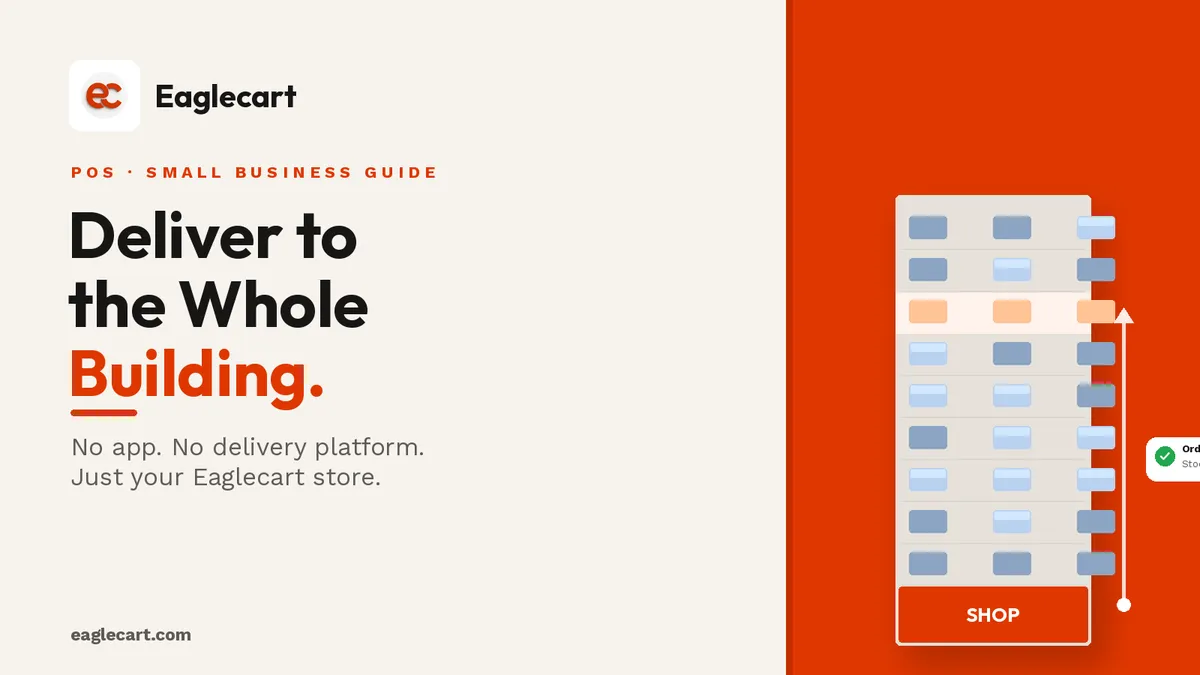
There is a type of retail that is everywhere in the UAE and almost nowhere online: the small shop or baqala at the base of a residential tower, serving the same few hundred families who live directly above it. These shops know their customers, they stock what they need, and they are sixty seconds from the front door of every flat in the building. Yet most of them are still taking orders by WhatsApp message and keeping score on a notepad.
There is a better way — and it does not require building an app, signing up with a delivery company, or buying anything new. It requires a website, a shared stock number, a packing slip printer, and your own staff. Every UAE small shop already has most of this. The piece they are usually missing is the connected system that ties it together.
The idea came directly from how UAE residents actually shop. If you have lived in a residential tower in Sharjah, Dubai or Abu Dhabi, you know the pattern: someone in the group chat says they are going to the baqala, and three neighbours pile on with what they need. The shop owner already knows everyone. The only thing missing is a clean loop that removes the WhatsApp back-and-forth and makes the whole thing a proper, trackable order.
Key Takeaways
- A UAE shop with an online store can take orders from nearby residents without a separate delivery app.
- Customers order from the shop's website using their apartment number and WhatsApp number — no login, no account needed.
- Stock comes off the moment an order is placed, so the shop never oversells to two customers at once.
- The order appears in the dashboard — print the packing slip, send staff to the door, take cash, mark it paid.
The problem with WhatsApp-only ordering
Most small UAE shops that do delivery run it entirely on WhatsApp. A customer messages, the owner replies, they agree on items and price, the owner writes it on a slip by hand, and someone goes up. It works until it does not.
The problems are always the same: stock is not tracked, so the shop sometimes sends someone up for an item that is already sold; orders get confused when two come in at the same time; and there is no record of what was ordered, by whom, and whether it was paid.
A connected system — where the customer orders through a website and the order drops into the shop's dashboard — solves all three in one step. The customer sees real stock. The shop sees a clean order. The delivery is tracked. The payment is recorded.
How the loop actually works, step by step
Here is the full delivery loop, from the moment a resident opens the shop's website to the moment the order is marked paid.
Step 1: The resident opens the shop's website and orders
The shop shares its Eaglecart online store with the building — a QR code sticker by the lift, a link in the building's WhatsApp group, a card under doors. The resident opens the link, browses the catalogue, and adds what they want to the cart.
At checkout, they enter their apartment number as the delivery address and their WhatsApp number as the contact. No account to create, no password to remember. They place the order and they are done.
Step 2: Stock comes off immediately
The moment the resident confirms the order, that stock is reserved. If they ordered the last milk pack, the website immediately shows zero — so a second resident trying to order the same item a minute later sees it is out of stock before they complete their order. No overselling. No sending staff upstairs for something that is already gone.
Step 3: The order lands in the dashboard
The shop owner opens their Eaglecart dashboard and sees the new order in their orders list. It shows the customer's name, apartment number, WhatsApp number, every item ordered with its details, and the delivery method.

Step 4: Print the packing slip and send staff up
The owner opens the order and prints the packing slip from the dashboard. The slip carries everything the staff member needs: the shop's details and the order reference at the top, the customer's name, apartment number and phone number, the delivery method, and a full item list — every product with its barcode, colour, size and quantity, plus the total item count and weight. There is also a barcode and QR code on the slip to track the order.
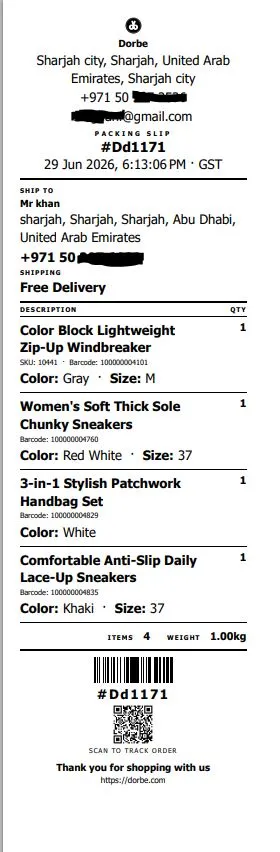
The staff member takes the items and the slip to the apartment. The customer checks what was delivered against the slip, and pays cash.
Step 5: Staff brings the cash back — mark it paid
The staff member returns with the cash. The owner opens the order in the dashboard and marks it paid. The order is complete, the payment is recorded, and the stock has already been updated since the moment it was placed. Nothing left to do.
What makes this different from just taking WhatsApp orders
The WhatsApp order is a conversation. The Eaglecart order is a record. That difference matters more than it sounds.
With a WhatsApp order, the stock does not update until you remember to update it. Two customers can order the last item. There is no clean record of what was ordered, what it cost, or whether it was paid. And if you have a busy counter at the same time, messages get missed.
With the connected system, the order is timestamped, the stock is reserved instantly, the packing slip is printed in one tap, and the payment is logged when you mark it paid. Every order, every delivery and every payment is in the dashboard — not in a WhatsApp thread you have to scroll back through.
The same counter that serves walk-ins serves the building
This is the key point that most small shops miss: the online orders and the counter sales are the same system. The shop does not need a separate stock list for deliveries and another for the till. One stock number runs everything.
A walk-in customer buys the last bottle of water at the counter. The website sees zero immediately. A resident upstairs who tries to order the same bottle a minute later sees it is out of stock. The shop never has to reconcile two lists or explain to a customer why their order was cancelled.
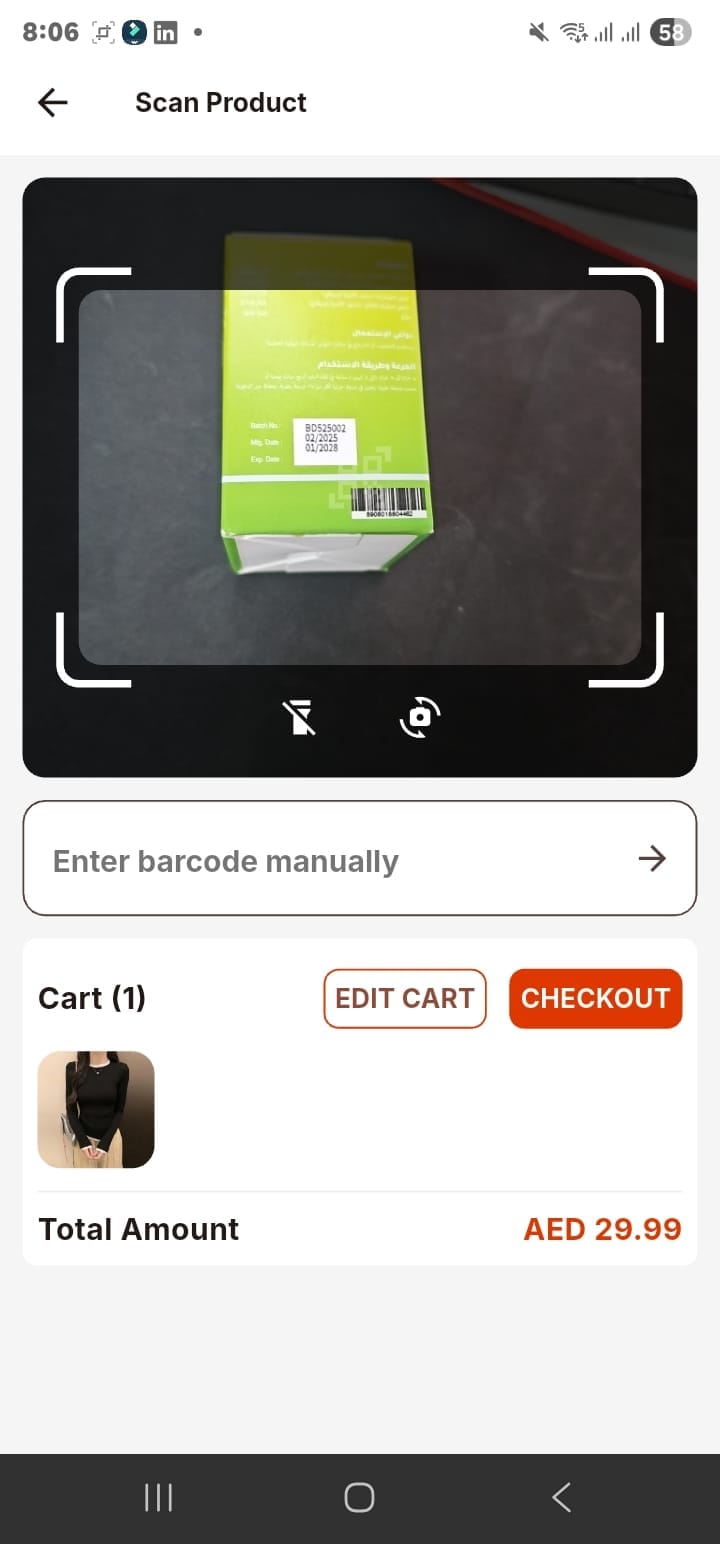
And the shop can use the Eaglecart POS app on a phone to handle walk-in sales at the same time — scanning products with the camera, taking payment, sharing receipts on WhatsApp. The phone is the counter. The dashboard is the delivery system. Both run on the same platform and draw from the same stock.
What you share with the building to get orders flowing
Getting the first order is the only hard part. Once residents know they can order from your website, they come back on their own. Here are the three things that work best for letting a residential building know your shop takes orders.
First, a QR code sticker or small sign by the lifts — something every resident passes every day. The QR goes straight to your Eaglecart online store. Second, a message in the building's WhatsApp group, if you are in it, with the link and a simple line: "Order from us online, we deliver to your door." Third, a small card or flyer under apartment doors — one time, once, just to introduce the service. After that, word of mouth does the rest.
Sending a WhatsApp receipt to the customer
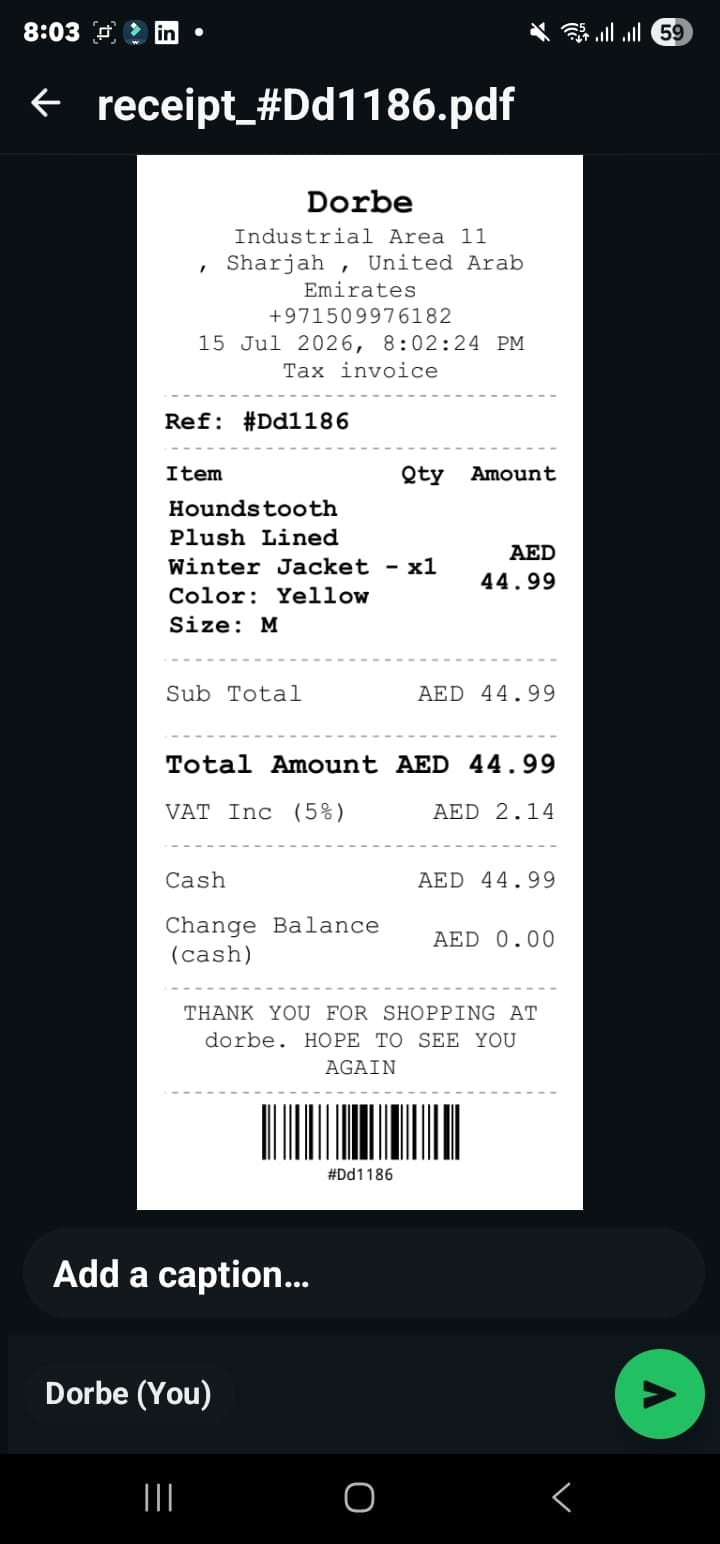
When a delivery is complete and the order is marked paid, the customer already has their copy — the Eaglecart system sends order confirmation details, and the shop can also send the receipt directly from the dashboard or via the POS app. The customer has a proper record of what they ordered and what they paid, on their phone, before the staff member is back downstairs.
Why this works for any small UAE shop, not just grocery
The loop works for any shop that sells physical products to nearby residents: a grocery, a pharmacy, a bakery, a stationery shop, a convenience store. The requirement is simply that the shop has products the residents around it want and that it is close enough to deliver in a few minutes.
In the UAE, almost every residential tower has a cluster of shops at its base or within a one-minute walk. Most of those shops are already known to the residents. The only missing piece for most of them is the system that turns that local familiarity into a proper order, a packing slip and a tracked delivery.
Frequently asked questions
Can a small UAE shop take orders from nearby residents without a delivery app?
Yes. With an Eaglecart online store, the shop shares its website with nearby buildings, customers order directly, and the shop uses its own staff to deliver. No third-party delivery app needed.
How does the customer place an order?
They open the shop's website, add items to the cart, enter their apartment number and WhatsApp number at checkout, and place the order. No account to create and no login required.
What happens if a product runs out while a customer is ordering?
Eaglecart removes the stock the moment any order is placed — whether at the counter or online. If the last item was sold at the counter a moment before, the website will already show it as out of stock when the next customer tries to order it.
How does the shop track which orders are paid?
Each order stays open in the dashboard until the owner marks it paid. When the staff member returns with the cash, the owner updates the order and the payment is recorded. Every order — delivered, paid or pending — is visible in the dashboard.
Do residents need to create an account to order from the shop?
No. Customers can checkout by entering their apartment number and WhatsApp number — no account, no password, no app to download.