Why Facebook and Google Report Fewer Sales Than You Actually Made
Why Facebook and Google Report Fewer Sales Than You Actually Made
If your ad platform reports fewer sales than your own admin, the ads are usually not the problem. The tracking is.
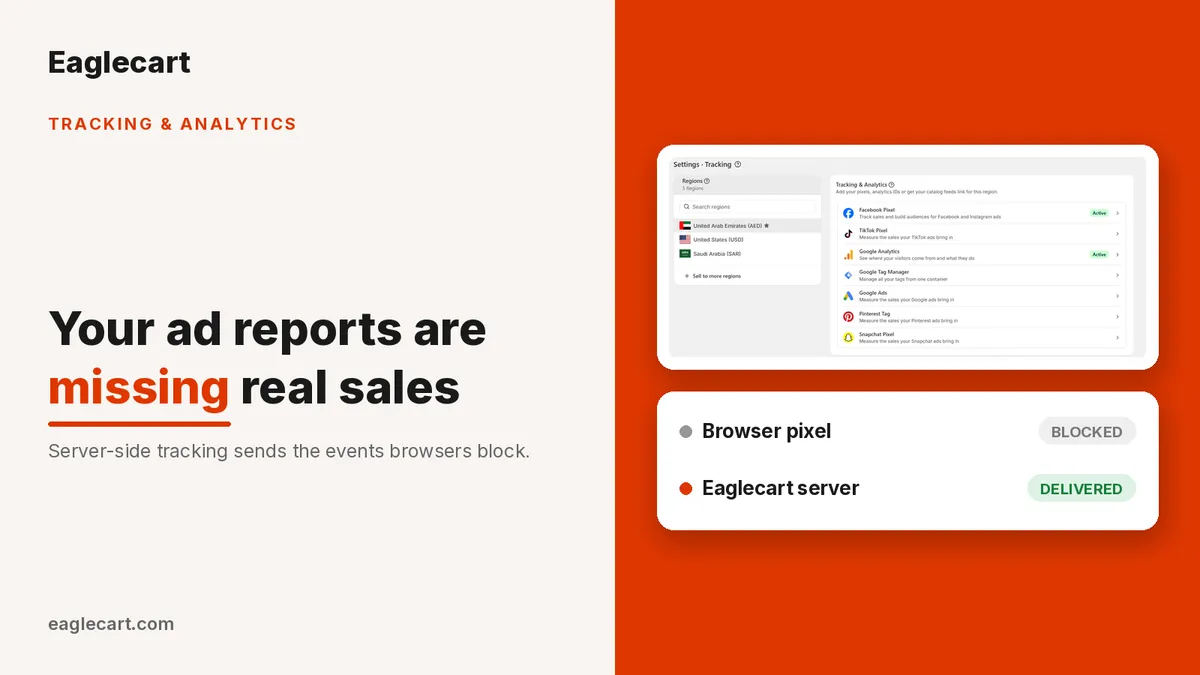
Pixels run inside the customer's browser, and the browser is no longer a reliable messenger. Browsers and ad blockers now stop a growing share of those events before they ever reach Facebook, TikTok, Snapchat or Pinterest. Every event that gets stopped is a real sale the platform cannot credit to your ads, and cannot learn from.
The fix is server-side tracking: sending the same event from your store's servers as well as from the browser. Eaglecart now does this for you.
Key Takeaways
- Ad platforms under-report because browsers and ad blockers stop pixel events before they arrive.
- Server-side tracking sends the same events from Eaglecart's servers, so those sales still get counted.
- A shared ID matches the browser and server events, so every sale is counted once and never twice.
- Facebook, TikTok, Snapchat and Pinterest support this in Eaglecart — add your access token to switch it on.
Why does your ad platform report fewer sales than your admin?
Because the pixel sits in the customer's browser, and plenty of things can stop it from sending. An ad blocker. A privacy setting. A slow connection. A tab closed one second too early. Any of those and the purchase event simply never arrives.
The number in your own system is the truth. The number in the ad platform is only what survived the trip.
I learned this the expensive way. At DODuae we were running more than 1,700 orders a day, and the sales sitting in our own system were never the same number the ad platform claimed. The instinct in the room was always identical: the ads aren't working, cut the budget. What was actually happening was that a share of those purchases never reached the platform at all. The campaign looked weaker than it was, the platform's own optimisation was learning from an incomplete picture, and we were making budget decisions on a report with holes in it.
What server-side tracking does about it
It sends the same event a second time, from a place the browser cannot block. When a customer buys, Eaglecart sends the purchase from our servers directly to the ad platform, alongside the pixel event coming from the browser.
Both copies carry a shared ID, so the platform recognises them as one sale and counts it once, never twice. Your browser pixel keeps working exactly as it did before. Nothing is replaced.
The events themselves are more complete now too. Product views, add to cart, checkout and purchase are sent to every platform you have connected, with product IDs, prices and currency attached. Purchases carry your order ID, so a customer refreshing the confirmation page can never report a second sale.
Facebook, TikTok, Snapchat and Pinterest all support this. Add your access token on that platform's page and it switches on.
Why Google Ads shows you audiences but no revenue
Because a Google Ads tag without a conversion label only builds remarketing audiences. It never tells Google what you actually sold.
That is why so many Google campaigns report clicks and traffic with nothing underneath them. Add your conversion label and Google starts receiving your orders, so the campaign reports a real return and can bid towards more of them. Paste the whole value Google gives you and Eaglecart splits it for you.
Pixels and tags are now set per region
Each region keeps its own pixels and tags. If you sell in the UAE, Saudi Arabia and the United States with separate ad accounts, each region reports to its own. If you run one ad account across all of them, add the same ID in each region.
You are also no longer limited to one ID per platform. Add as many as you need inside a region, which matters when your own pixel runs alongside an agency's or a partner's. Give each one a label so you can tell them apart at a glance, switch any of them off without deleting it, and remove the ones you no longer use.
How to switch it on
Open your tracking and analytics settings, choose the region you are setting up, then open the platform you want to connect. Google Analytics, Google Tag Manager, Google Ads, Facebook Pixel, TikTok Pixel, Pinterest Tag and Snapchat Pixel each have their own page now, with setup guidance written for the current version of that platform's dashboard.
Paste your ID, add your access token to turn on server-side tracking, and save. Tokens are stored securely and are never shown back to you. Each page also answers the questions merchants ask most, including what to do when the option you are looking for isn't visible on the platform's side.
Then test it before you go live. Facebook, TikTok and Pinterest let you check the setup without touching your reporting: enter a test code, place a test order, and watch it arrive in the platform's own test view. Test mode is clearly marked in your settings so it can't be left switched on by accident.
What happens to your existing setup
Nothing breaks, and there is nothing to move. Everything you already had configured has been carried across automatically.
The one thing worth doing today is opening each platform's page and adding the access token. That is the switch that turns server-side tracking on, and that is where the missing sales come back.
Frequently asked questions
Will server-side tracking double count my sales?
No. The browser event and the server event carry a shared ID, so the platform matches them and counts the sale once. Your existing pixel keeps working exactly as it always did.
Do I have to remove my pixel to use the Conversions API?
No, the two work together. The pixel keeps sending from the browser, and Eaglecart sends the same events from its servers to cover the ones the browser loses.
Why do my Google Ads campaigns show clicks but no sales?
Usually because no conversion label has been added, so the tag is only building remarketing audiences. Add the conversion label in Eaglecart and Google begins receiving your orders, which lets the campaign report a real return.
Can I use different pixels for different countries?
Yes. In Eaglecart, pixels and tags are set per region, so each market can report to its own ad account. If you use one account everywhere, add the same ID in each region.
Where do I get my access token?
From the ad platform itself. Each platform page in Eaglecart includes a step-by-step guide showing where to find your ID and how to generate an access token.