
Purchase orders are here
Create a purchase order, send it to your supplier, and restock when it arrives, all inside Eaglecart.
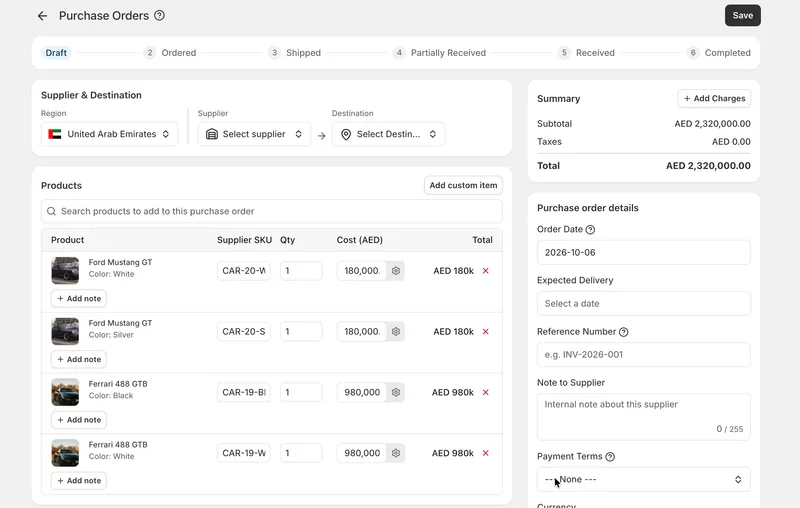
Buy stock without leaving Eaglecart
Purchase orders are now part of Eaglecart. You can create a purchase order, add the products you want to buy, send it to your supplier, move it through its stages, and restock your items when the goods arrive. The whole buying process now lives in one place.
Create a purchase order and add products
Start a new purchase order and add the products you need to order from your supplier. Everything you're buying sits together on one order, so you can see exactly what you've asked for.
Send it to your supplier
When the order is ready, send it to your supplier by email straight from Eaglecart, or download it as an Excel file to share however your supplier prefers.
Move it through its stages
A purchase order isn't finished the moment it's sent. Move it through its stages as it progresses, so you always know where each order stands.
Change prices and quantities
Prices and quantities can change between the order you planned and the goods you actually get. You can adjust both on the purchase order, so it reflects what you really agreed and received.
Restock your items
When the goods arrive, restock your items from the purchase order, so your inventory is updated from the same place you placed the order.


