
Delete a customer
Remove a customer from their profile page, with safeguards for records tied to your accounting.
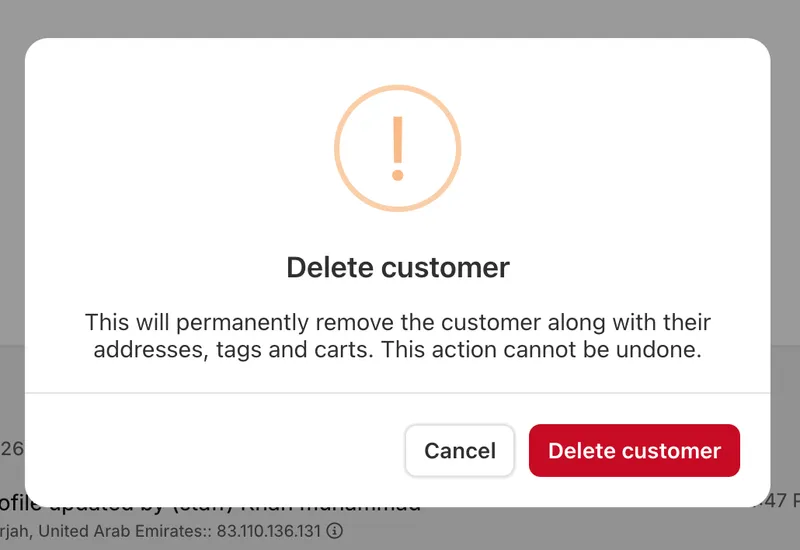
Delete a customer
You can now delete a customer from their profile page. The Delete customer option sits in the Action menu at the top right of the profile, below the suspend option. You'll only see it if you have permission to make changes to customers. Selecting it asks you to confirm, since deleting a customer can't be undone. Once confirmed, the customer is removed and you're taken back to your customer list.
What gets removed
Deleting a customer also removes their saved addresses, their tags, and anything still sitting in their cart.
When a customer can't be deleted
Some customers can't be removed, because their records are tied to your accounting and tax history. A customer is kept if they have any orders, invoices, quotations, or workshop jobs. If you try to delete one of these customers, you'll be told exactly which of these are holding the record, so you know why. If you no longer want the customer active in your store, suspend them instead.
Customers currently shopping
If a customer is in the middle of checking out right now, deleting them is paused for a few minutes. This stops an order arriving with no customer attached to it. Try again shortly and it will go through. Abandoned checkouts don't stop a customer being deleted — your abandoned checkout list keeps its own copy of the name, email and phone, so you can still follow up on those carts afterwards.
Activity log
The deletion is recorded in the activity log along with the customer's name.


