
Bulk customer import
Bring your customer list across from anywhere — with addresses, tags, notes and marketing preferences.
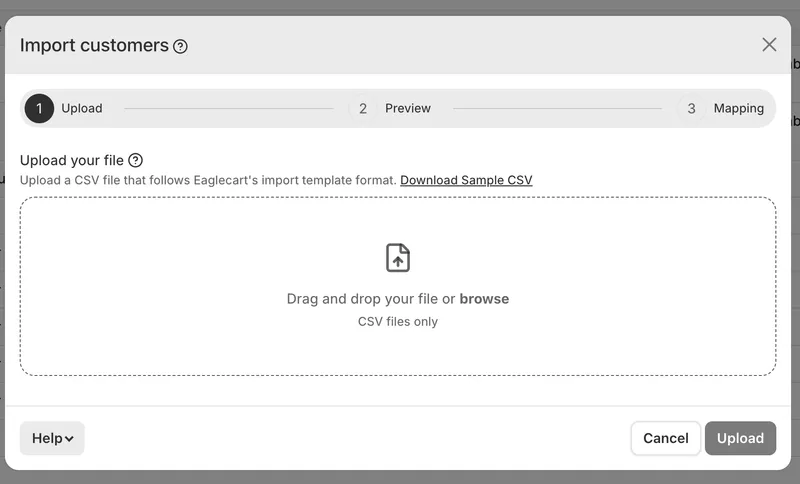
Upload and map
Drop in a CSV. We read your column headers and match them to the right fields automatically, including the wording other platforms use, so an exported list arrives mostly mapped already. A preview shows your first customer exactly as they'll be created.
One row, one customer
Nothing to group and nothing to repeat — name, contact details, address and tags all sit on the same line.
Email, mobile, or both
Either is enough. Both is better — each one is a way for that customer to sign in. Mobile numbers need their country code, written +971501234567 or 00971501234567.
Addresses included
A delivery address on the same row becomes their default. Countries and states are matched by name or ISO code, so AE, ARE, United Arab Emirates and Dubai all work. ISO codes are the preferred way for this, for 100% accuracy.
Nothing duplicated
A customer already in your list is skipped rather than added twice, and nothing you've already edited is overwritten. Re-uploading the same file by mistake costs nothing.
Tags created as you go
Matched to what you already have, or created if new. Everyone joins your store's default group — move them afterwards if you like.
Consent is never assumed
Email, SMS and notification consent are all off unless your file says otherwise. Only mark someone as subscribed if they actually agreed.
Runs in the background
Close the tab, carry on working. Progress shows on your customer list, and an email arrives when it's done.
Getting started
Download the sample CSV, or open the built-in guide from the import window.


