
Custom items stay off your storefront, and go to the right channels and regions
Custom items in quotations, invoices, and workshop jobs are created as Unlisted, and published to the right sales channel and region.
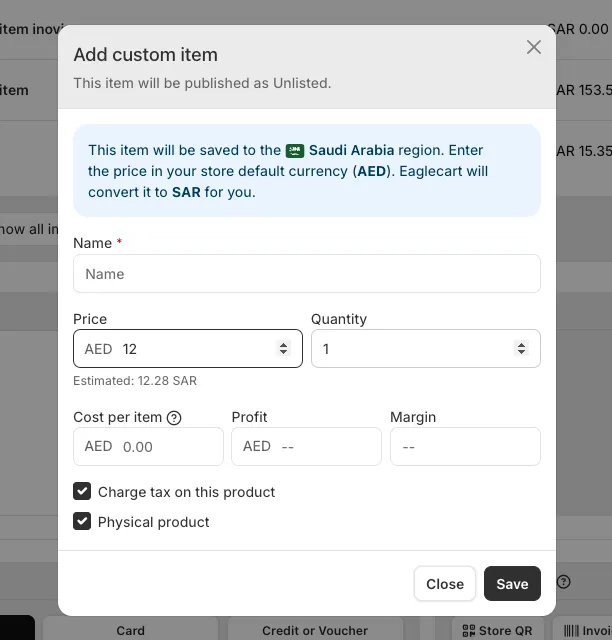
Custom items no longer go live on your store
Custom items added in finance and quotations are now created with the Unlisted status we added in a recent changelog. They're visible only by direct link, so a one-off item you add to a quotation or invoice doesn't appear in your storefront's search, browsing, or collections.
Workshop items go to your Workshop channel
A custom item added to a workshop job is published to your Workshop sales channel, keeping it scoped to where it's actually used.
Invoice and quotation items reach every channel
Custom items added on invoices and quotations are published across all your sales channels, so they're available wherever you might need to reference or reuse them.
Published to the right region too
This works with multi-region stores as well — a custom item created for a document in a specific region is published to that region, not every region you sell in.


