
The blog is here
Your store now has a built-in blog for publishing posts and bringing in visitors.
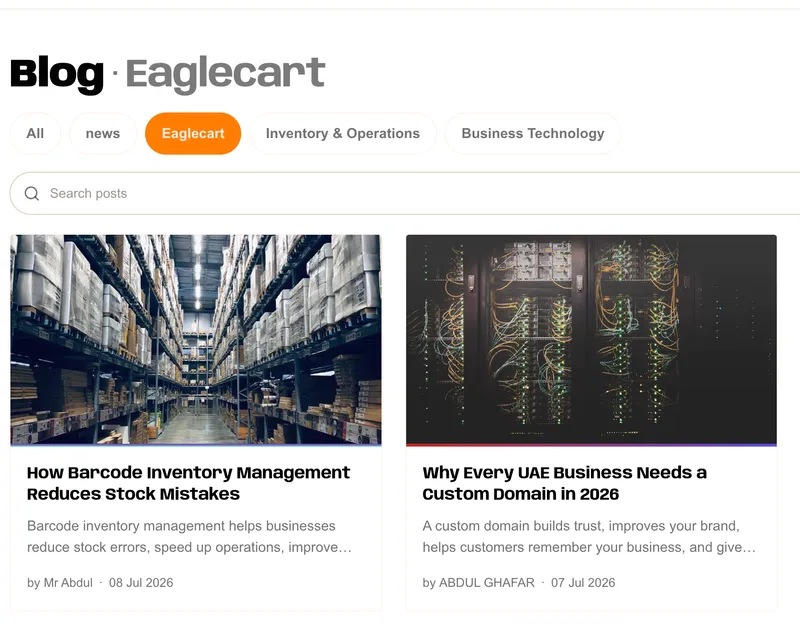
Your blog is now live in the dashboard
You can now run a blog straight from your dashboard. Head to Content > Blog Post to publish a new post, manage your existing ones, and manage your blogs. It's a full blog built into your store, so you can bring in visitors with articles, guides, and news without leaving Eaglecart.
Write and publish posts
Create a post, add a featured image and images within the post body, and write an excerpt that shows on your listing and related-post cards. Publish it when it's ready, or keep it hidden while you work on it.
Add your blog to the menu
Once your blog is ready, add it to your store menu so visitors can find it. It sits alongside your other menu links, giving shoppers a clear way into your posts.
Feature it in MON Studio
You can also add your blog in MON Studio, the home editor, just like you would a page — so you can showcase your posts right on your homepage and weave them into your storefront design.
Control what shows on each blog
Each blog has its own display controls, so you decide what readers see.
Engagement and reading signals
Show or hide likes, dislikes, views, and read time per blog, so each one is set up the way you want.


