Abandoned Checkouts
Marketing now includes Abandoned Checkouts, under Marketing > Abandoned Checkouts. Any cart that sits with items for more than 10 minutes is treated as abandoned and appears in the list, giving you a live view of the sales slipping away before they're lost for good.
Each row carries an action button with two options, Send Email and Send WhatsApp. Send Email appears only when the customer has an email on file, and Send WhatsApp only when a mobile number is present. When both are available, both show. Once a message is sent, the customer is held for 10 minutes before they can be contacted again, so a single recovery push never turns into spam.
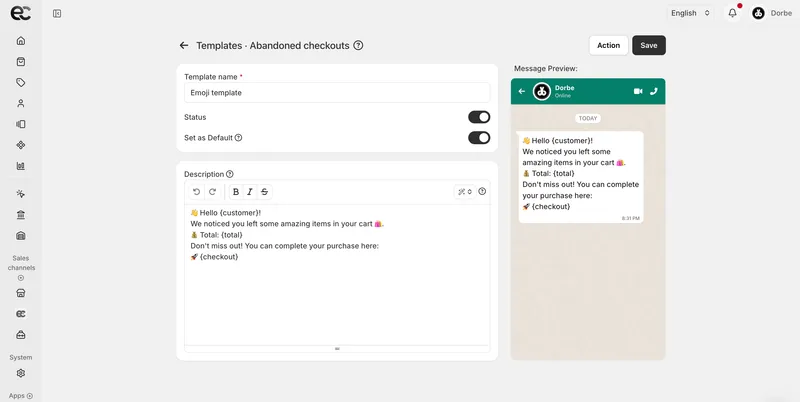
Choosing either action opens a composer with a template dropdown and an editable content area, alongside a live preview that updates as you write, so you see exactly what the customer will receive before it goes out.
Templates
The second page, under Marketing > Templates, is where you build reusable messages for both channels.
Email templates
Compose the full message and control its presentation, including the call-to-action button background and styling, so recovery emails match your brand.
WhatsApp templates
Focused on content, letting you write the message body that goes out through WhatsApp.
Both template types support variables, so a single template personalizes itself per customer instead of being rewritten for each recipient.



