Why Online Payments Fail: A Troubleshooting Checklist for UAE Merchants
A failed payment is a sale that was already won. The customer chose the product, filled in the address and pressed pay, and then something went wrong. When it happens to one customer, you lose one order. When it happens to every customer at once, you can lose a whole day of sales without noticing.
This checklist comes from running our founder's own online store, DODuae.com, and from building checkout for UAE merchants at Eaglecart. It covers both kinds of failure and what to do about each.
Updated 13 November 2026 · Based on our founder's experience at DODuae.com and on Eaglecart's own checkout.
Quick answer
Online payments fail for two reasons: a problem with one customer's card, such as a missed bank code, a card blocked for online use or a typo, or a problem with the payment provider that stops every payment. The first costs you one order. The second can cost you a whole day, because the provider may not tell you. Test your own checkout every day, watch for a day with no paid online orders, and set up a backup: a second payment gateway that takes over on the next attempt, plus cash on delivery, Tabby or Tamara.
Key Takeaways
- If one customer's payment fails, the cause is usually on their side: the bank's one-time code, an online-payments block, a limit or a typo.
- If every payment fails, the cause is on the provider's side, and the provider may not tell you.
- A store that only takes one kind of online payment stops selling online when that one provider stops.
- Test your own checkout every day and look for days with no paid online orders.
- On Eaglecart you can connect more than one payment gateway and turn on failover, so a customer's second attempt goes through the second gateway.
- Every Eaglecart plan, including Free, supports cards, Tabby, Tamara, cash on delivery and bank transfer, so customers always have a second way to pay.
From our founder
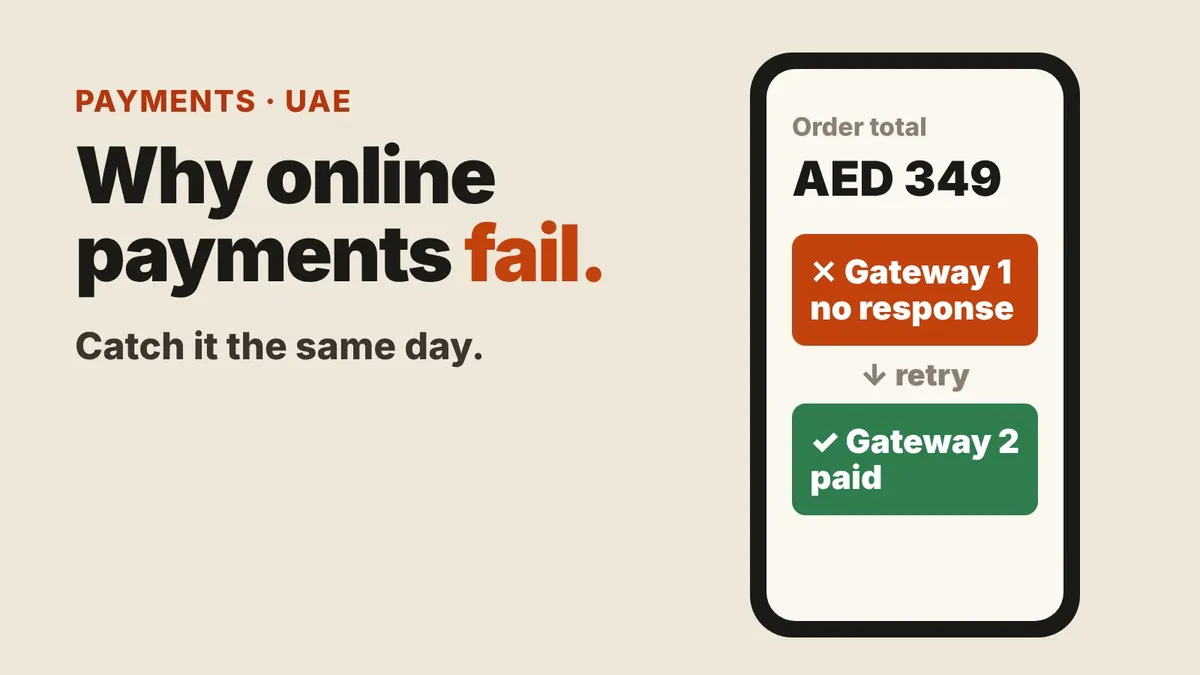
"At DODuae.com our payment gateway once stopped responding, and the gateway didn't tell us. Online orders dropped, and we only found out the next day that payments weren't working. From that day I connected more than one gateway and built a switch: if the first gateway didn't respond, the next attempt went through the second one. We never had that problem again. I learned the same lesson with our SMS provider: never depend on one provider you can't see into."
Mr. Khan, Founder of Eaglecart · in ecommerce since 2012
What are the two kinds of payment failure?
Before you fix anything, work out which kind you have. The question is simple: is it one customer, or everyone?
| One customer's payment fails | Every payment fails | |
|---|---|---|
| How you notice | The customer messages you on WhatsApp or abandons checkout | Paid online orders stop, while visits and cash-on-delivery orders continue |
| Usual cause | Bank code not completed, card blocked for online use, limit reached, wrong details | The payment provider is down, your account or keys have a problem, or settings changed |
| What it costs | One order, if you don't follow up | Every online order until you find out |
Why does one customer's card payment fail?
When only one customer has a problem, it is almost always between the customer and their bank. Ask them to check these, in this order:
- The bank's one-time code. Most UAE cards ask for a code sent by SMS or a tap in the banking app. If the customer closes the window or the code expires, the payment fails.
- Online payments switched off. Some banks let customers block online or international payments in the app. The customer has to switch it on.
- Limit or balance. A daily limit or a low balance stops the payment, even on a card that worked last week.
- A typo. A wrong expiry date or security code. Asking the customer to type it again often fixes it.
- Another way to pay. If the card still fails, offer cash on delivery, Tabby or Tamara so the order is not lost.
Don't wait for the customer to come back. A short, friendly WhatsApp message the same day saves most of these orders.
Message you can copy
Hi Sara, we saw your order didn't go through at payment. This usually happens when the bank code isn't completed. You can try again here, or we can send it as cash on delivery. Which do you prefer?
How do you know when every payment is failing?
This is the dangerous one, because nobody tells you. Customers who can't pay rarely message the store. They leave. As our founder found at DODuae.com, the payment provider may not tell you either. Look for these signs:
- No paid online orders for hours at a time of day when you normally get them, while cash-on-delivery orders keep arriving.
- More abandoned checkouts than usual, with customers reaching the payment step and stopping.
- Several customers telling you the same day that payment didn't work.
If you see any of these, place a small test order yourself straight away. If your own payment fails too, it is not the customers.
What to check when every payment fails
- Your provider's account. Log in to your card provider's dashboard. Look for a notice, a hold on the account, or a document request you haven't answered.
- Recent changes. Did anyone change payment settings, keys or the store's domain in the last day? Undo the change and test again.
- The provider's support. Contact them and ask directly whether there is a problem on their side. Keep their support number where your team can find it.
- Tell your customers. While it is fixed, point customers to cash on delivery, Tabby or Tamara on your product pages, in your posts and in DMs.
- Follow up the lost orders. Message every customer who reached payment and left during the outage.
How to protect your store from payment failures
- Connect a backup gateway. With two payment gateways and failover, a customer whose first attempt fails goes through the second gateway on the next attempt. This is how we stopped losing orders at DODuae.com.
- Offer more than one way to pay. If cards stop, customers can still choose cash on delivery, Tabby or Tamara. One payment method is one point of failure.
- Test your checkout every day. A small test order each morning takes two minutes and catches a silent outage the same day, not the next.
- Watch paid orders, not just total orders. Cash-on-delivery orders can hide the fact that online payments have stopped.
- Follow up every abandoned checkout. Many are payment problems the customer never reported.
- Keep your provider account in good order. Answer document requests quickly, so your account is never put on hold.
For cash-on-delivery orders, a quick confirmation before you ship keeps the backup option healthy too. See our guide on how to reduce COD refusals in the UAE.
How to set this up in Eaglecart
- Connect more than one payment gateway. In your payment settings, connect a second payment gateway and turn on failover, so the customer's second attempt goes through the second gateway. Also enable Tabby, Tamara and cash on delivery. All of them are available on every plan. Our guide to setting up payments in your UAE online store walks through each one.
- Place a test order. Pay with your own card and check that the order arrives in your order list as paid.
- Check payment status in your orders. Your order list shows each order's payment status, and card orders carry the Stripe payment ID, so you can match them with your Stripe dashboard.
- Follow up abandoned checkouts. Open your abandoned checkouts and send the customer a WhatsApp message from a ready template with one tap.
Frequently Asked Questions
- Founder's operating experience at DODuae.com (payment gateway outage and backup gateway)
- Eaglecart pricing (checked 13 Nov 2026)