
Redirect URLs so you never lose traffic
Change a blog URL and send its old link to the new one, starting with blogs and posts.
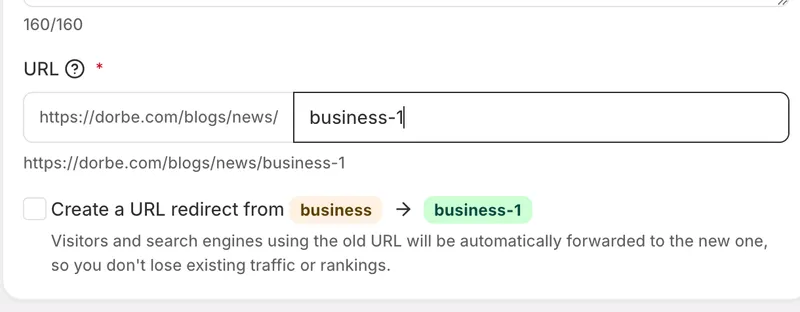
Redirect URLs are here
You can now add a redirect URL, starting with your blogs and blog posts. When you change a URL, you can point the old one to the new one so visitors and search engines always land in the right place.
What a redirect is for
A redirect sends anyone who opens an old link straight to the new page. Links you shared, links other sites point to, and links search engines have indexed don't just break when you rename something — the redirect quietly forwards them to the current URL.
How it works
When you change a blog or post URL, we ask you underneath whether you want to redirect the old URL to the new one. If you turn it on, anyone who hits the old link is sent to the new page instead of landing on a 404 "not found" error. Your traffic keeps flowing to the right content and isn't lost.


