
Improvement
29 May 2026

Business Details on Invoices: Legal Name and Address per Region

Order and Workshop invoices now show your registered business legal name and address, set per region in Settings > Regions.
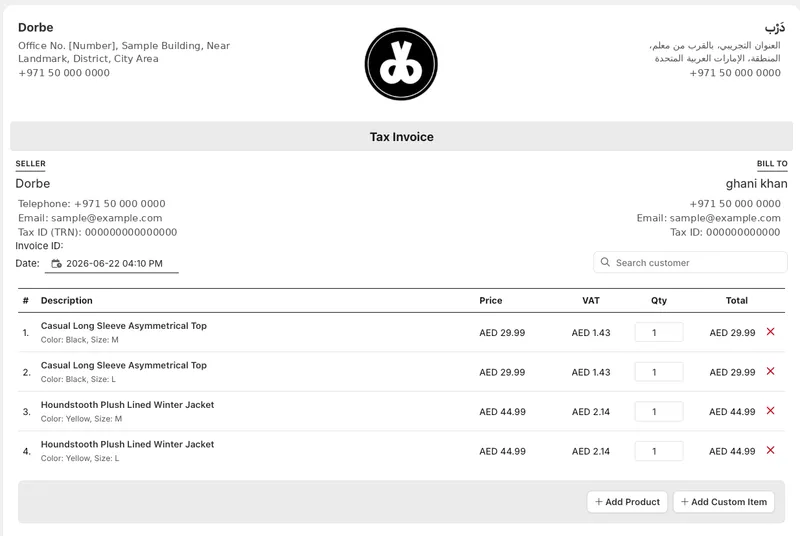
Business Details on Invoices: Legal Name and Address per Region

Business details on invoices

Invoices in both Orders and Workshop now carry your registered business legal name and address, so every document goes out identifying the correct legal entity behind the sale or service rather than a generic store name.

Set your details in Settings > Regions

Open Settings > Regions and fill in the Business Details card for a region, where you add the legal name and address that should appear on its documents. Because details sit on the region, a business operating across more than one region can present the correct legal entity in each one, and the right information flows onto every invoice automatically with no manual entry per document.

Recent updates

Built with Eaglecart

Every update brings you closer to launch.

See what Eaglecart can do for your business. Set up your store, add your products, and make your first sale, free to start.

No card required. Be online in minutes.


