
Eaglecart Adds ChatGPT Ads Pixel & Conversions API Integration
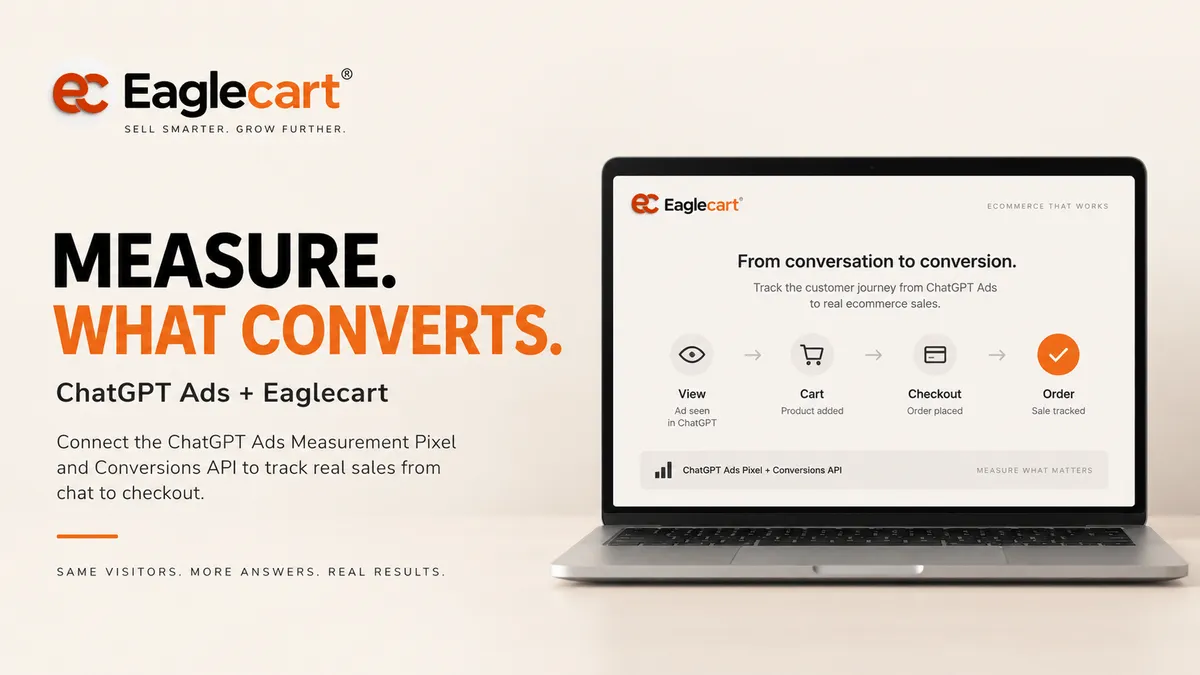
ChatGPT Ads gives businesses another way to reach potential customers.
But running an ad is only one part of the job.
Merchants also need to understand what happens after someone interacts with an ad and visits their store.
Eaglecart now supports ChatGPT Ads Measurement Pixel and Conversions API integration, allowing merchants to send important ecommerce conversion events from their storefront and backend into ChatGPT Ads measurement.
What does the Eaglecart ChatGPT Ads integration do?
It connects your Eaglecart store to ChatGPT Ads measurement so configured ecommerce events such as product views, add-to-cart, checkout and completed purchases can be sent for conversion measurement and attribution.
Measure what happens after the click
Connect advertising activity with real actions inside your ecommerce store instead of measuring clicks alone.
1. What Is the ChatGPT Ads Measurement Pixel?
OpenAI's Measurement Pixel is a browser-side measurement tool for websites.
When a supported action happens in the storefront, the browser can send that conversion event to the merchant's ChatGPT Ads data source using the Pixel ID.
In Eaglecart, the merchant only needs to enter the Pixel ID in the store settings. Eaglecart generates and maintains the required storefront tracking integration.
Paste the Pixel ID. Eaglecart handles the code.
2. Go to Conversions
3. Create or select your website data source
4. Copy the Pixel ID
5. Paste it into Eaglecart and save
2. What Is the Conversions API?
The Conversions API sends conversion events from the server instead of relying only on the customer's browser.
OpenAI describes the Conversions API as a more reliable measurement source than the Pixel alone and recommends using it when possible for more accurate measurement.
This is useful because browser restrictions, ad blockers or other technical conditions can prevent some browser-side events from being sent.
Eaglecart can send the same supported ecommerce events server-to-server when the merchant enables the Conversions API.
Browser + Server
✓ Conversions API sends server-side events
✓ Matching event IDs prevent duplicate counting
✓ Both connect to the same ChatGPT Ads data source
3. Which Ecommerce Events Can Eaglecart Send?
OpenAI defines standard conversion events that map naturally to ecommerce and lead-generation journeys.
Depending on the merchant's configuration, Eaglecart can map store activity into events such as:
- page_viewed — an important page is viewed.
- contents_viewed — a product or content item is viewed.
- items_added — a product is added to cart.
- checkout_started — checkout begins.
- order_created — an order is completed.
- lead_created — a lead is submitted.
- registration_completed — a registration is completed.
- trial_started — a free trial begins.
- subscription_created — a subscription begins.
- custom — a merchant-defined conversion event.
Product View → Add to Cart → Checkout → Order
Instead of stopping at the ad click, conversion measurement can show which important store actions happened after the visitor arrived.
4. How Does Eaglecart Prevent Double Counting?
If the same conversion is sent from both the Measurement Pixel and the Conversions API, it should not be counted as two different conversions.
OpenAI supports event deduplication using a shared event ID.
Eaglecart uses the same event identity for matching browser and server events so OpenAI can process the conversion once.
5. Why Should Merchants Enable the Conversions API?
The browser Pixel is useful, but browser measurement can be affected by blockers, browser privacy controls and connection issues.
Server-side events provide another measurement source directly from the ecommerce backend.
OpenAI recommends using the Conversions API when possible for more accurate insights.
Connect your advertising to real ecommerce outcomes
Add your Pixel ID, optionally connect the Conversions API, and let Eaglecart handle the store-side measurement integration.
Explore Eaglecart6. Setting Up the Conversions API in Eaglecart
The Conversions API is optional, but merchants who want stronger server-side measurement can enable it from the same Eaglecart ChatGPT Ads integration.
- Open the Conversions section in ChatGPT Ads Manager.
- Use the same website data source associated with your Pixel ID.
- Create a Conversions API key.
- Copy the key and store your own secure copy.
- Paste the Conversions API key into Eaglecart.
- Enable the Conversions API.
The Conversions API key is different from an Advertiser API key. It is used specifically for sending conversion events.
Use validation mode
Eaglecart merchants can enable validation mode and place a test order so the event payload can be checked before using the setup for live conversion measurement.
7. Why Does Eaglecart Require Your Own Domain?
Conversion events include information about the page where the action happened.
For the ChatGPT Ads measurement setup used by Eaglecart, merchants should connect their own domain to the store so the measured website belongs to the business running the advertising account.
This keeps the advertising, storefront and conversion data associated with the merchant's own brand domain.
8. What About Cookie Consent?
OpenAI's Measurement Pixel includes consent controls.
When measurement consent is disabled, the Pixel does not send measurement-event pings. After consent is granted, future eligible events can be sent.
Merchants remain responsible for configuring consent and privacy behavior appropriate to their business and the markets in which they operate.
Connect configured conversion events to campaign outcomes
ChatGPT Ads conversion measurement is designed around configured website and server events used for advertising measurement and attribution.
ChatGPT Ads Pixel & Conversions API
Do I need to add ChatGPT Ads tracking code manually?
With Eaglecart's integration, the merchant enters the Pixel ID in store settings and Eaglecart handles the storefront integration.
Which API key do I need?
For server-side event delivery, use the Conversions API key associated with the conversion data source. It is different from the Advertiser API key used for Ads API management.
Will using both Pixel and Conversions API count an order twice?
OpenAI supports deduplication when browser and server versions of the same conversion share the same event ID.
Do I still need the Pixel if I use the Conversions API?
OpenAI supports server-side conversion measurement. Using both browser and server events can provide two measurement sources when configured correctly.
Why might ChatGPT Ads report fewer orders than my store?
Not every store order is attributable to a ChatGPT ad. Reporting can differ because of attribution windows, event availability, consent conditions and campaign conversion settings.
Is this the same as getting my products into ChatGPT Shopping?
No. Conversion measurement is for measuring actions associated with ChatGPT Ads. Product discovery and shopping experiences are separate capabilities.
Does the Measurement Pixel support consent controls?
Yes. OpenAI documents a consent setting for the Measurement Pixel. When measurement consent is false, the Pixel does not send measurement-event pings.
Connecting Ecommerce to ChatGPT Ads Measurement
Advertising becomes more useful when merchants can connect campaigns to actual store outcomes.
OpenAI provides both browser-side and server-side conversion measurement.
Eaglecart brings that setup into the commerce platform so merchants can configure their Pixel ID, optionally enable the Conversions API and send ecommerce events without maintaining a custom tracking implementation themselves.
The result is a cleaner connection between the ad, the storefront and the ecommerce conversion.
Connect your store to conversion measurement
Add your ChatGPT Ads Pixel ID, enable server-side measurement when needed and let Eaglecart handle the ecommerce event integration.
Explore Eaglecart